Customers order by the pound, by the kilo or by the piece on your website. You pick, weigh and charge the right amount, with the same stock online and at the register.
Same price as a restaurant: $29 a month per location, no commission per order. 30-day trial. No setup fee, no contract.
dashboard.eatsallover.com/pos
Who it's for
Food and drink, close to home
For businesses that sell things to eat or drink and deliver them themselves or have them ready for pickup: today or on their delivery day.
Produce stands
Butchers and poultry
Bakeries and pastry shops
Corner stores and bodegas
Liquor and wine stores
Stores with a kitchen
Selling clothes or electronics, or shipping nationwide? Then a general online store is a better fit.
Your customer
Does the shopping from their phone
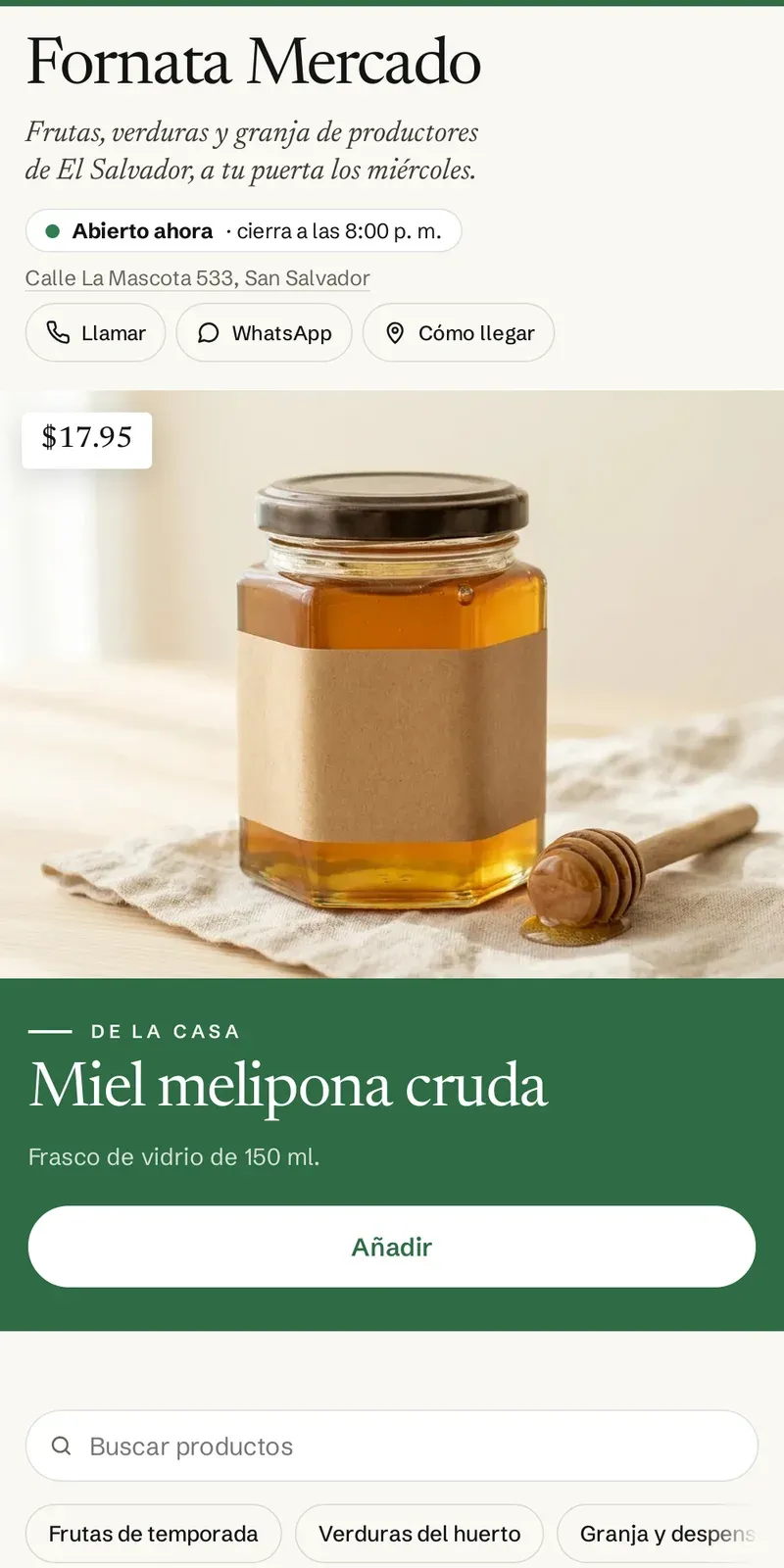
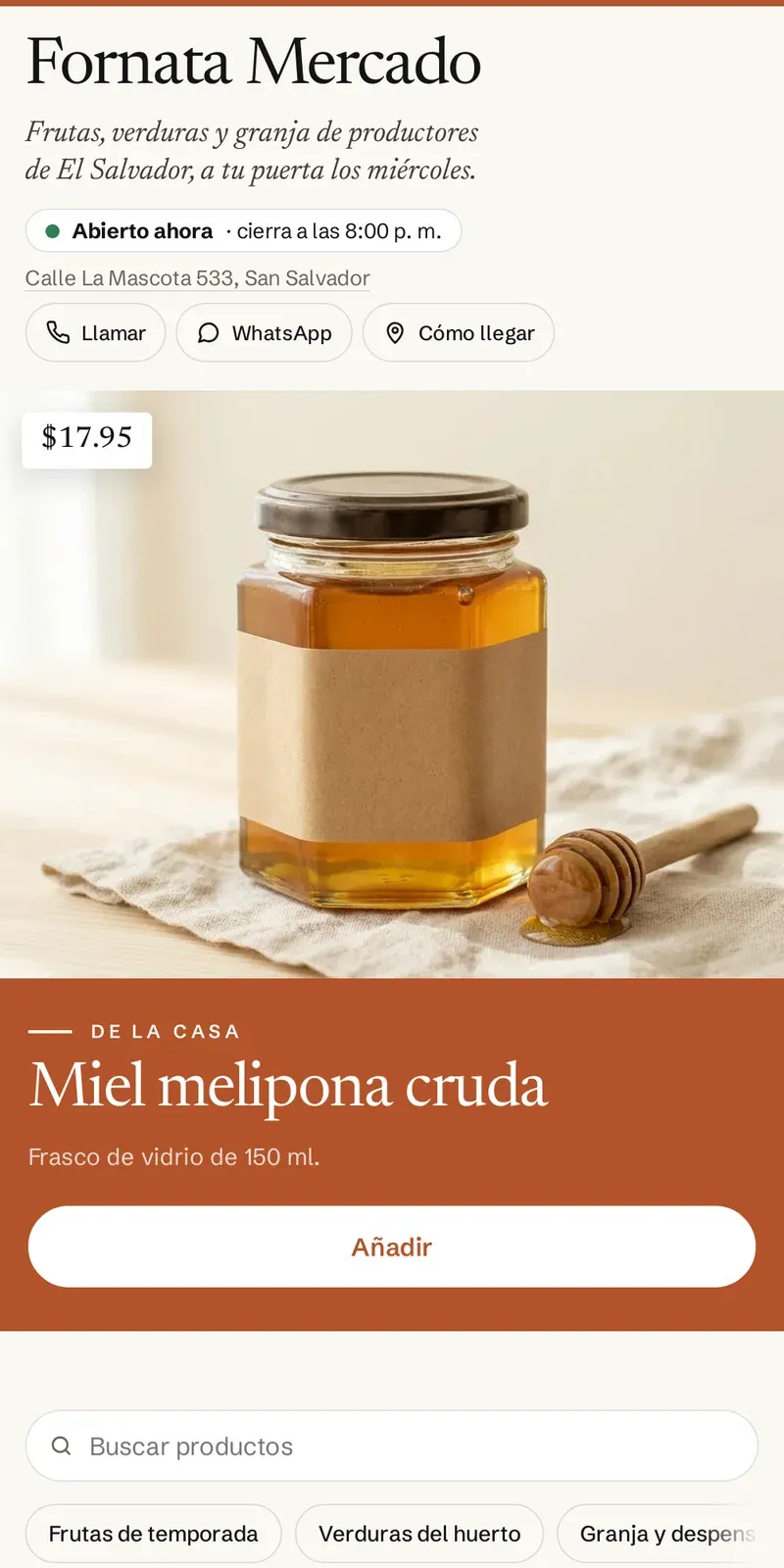
On your own website, with your logo and your photos. Nothing to download and no more orders by text message.
1
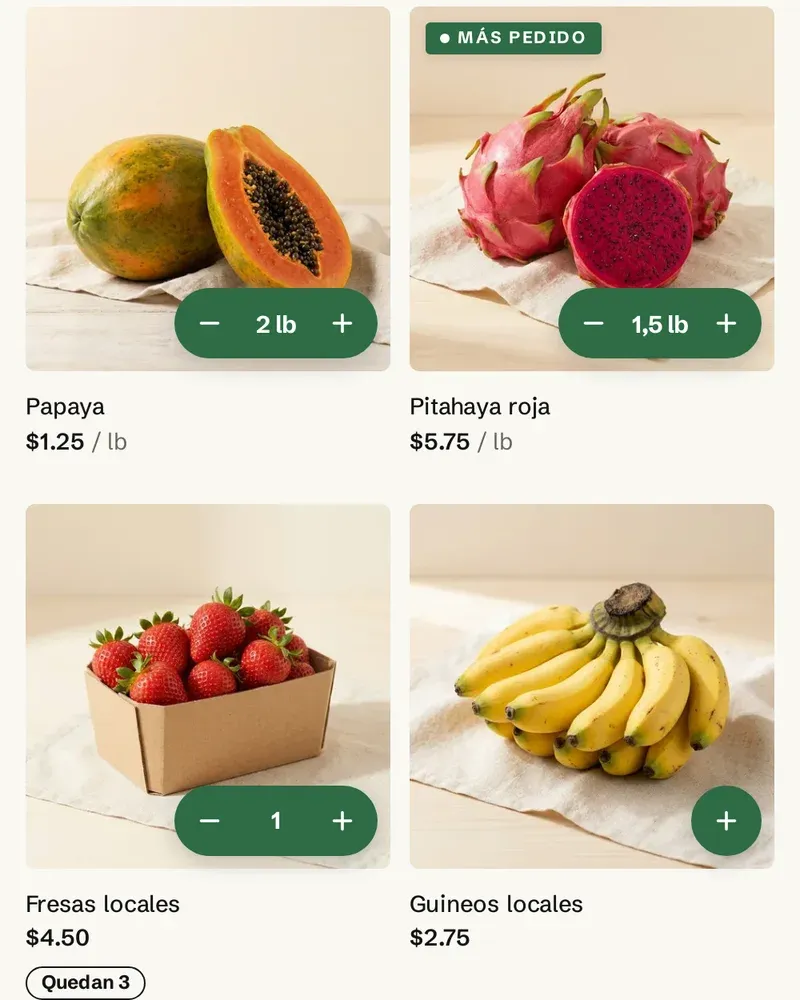
Adds from the card
Tap + and pick 1.5 lb or 3 pieces without opening the product. Sold-out items are grayed out, and it says when only a few are left.
2
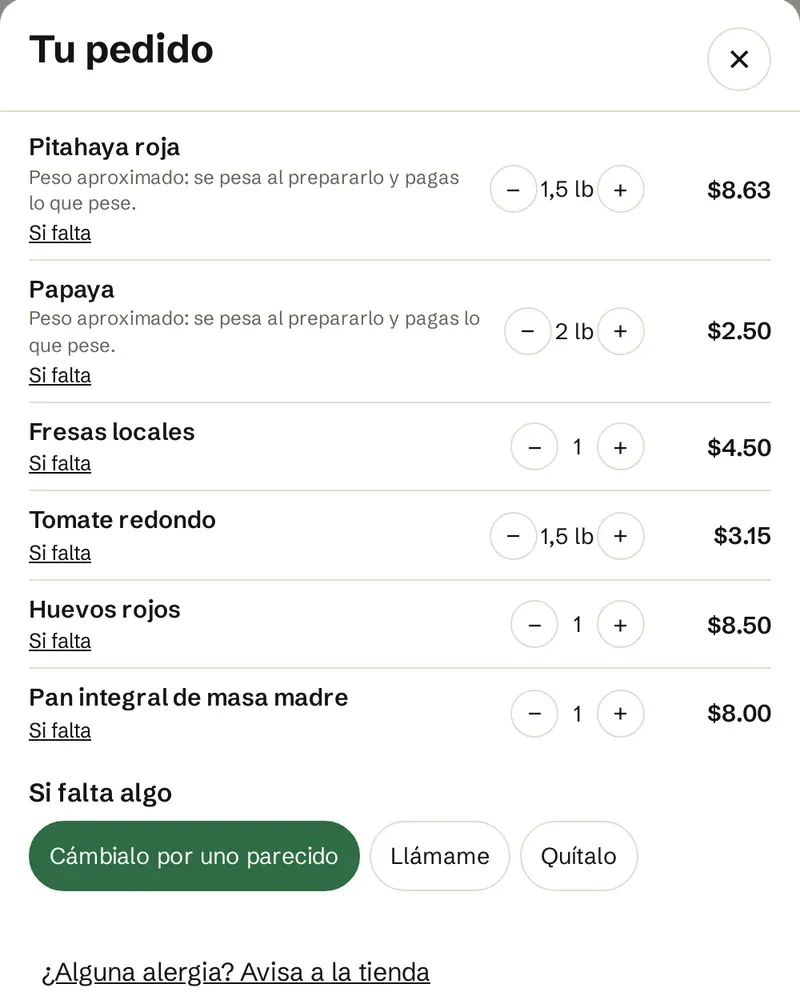
Says what to do if something is missing
Swap it for something similar, call them or leave it out. For the whole order or item by item.
3
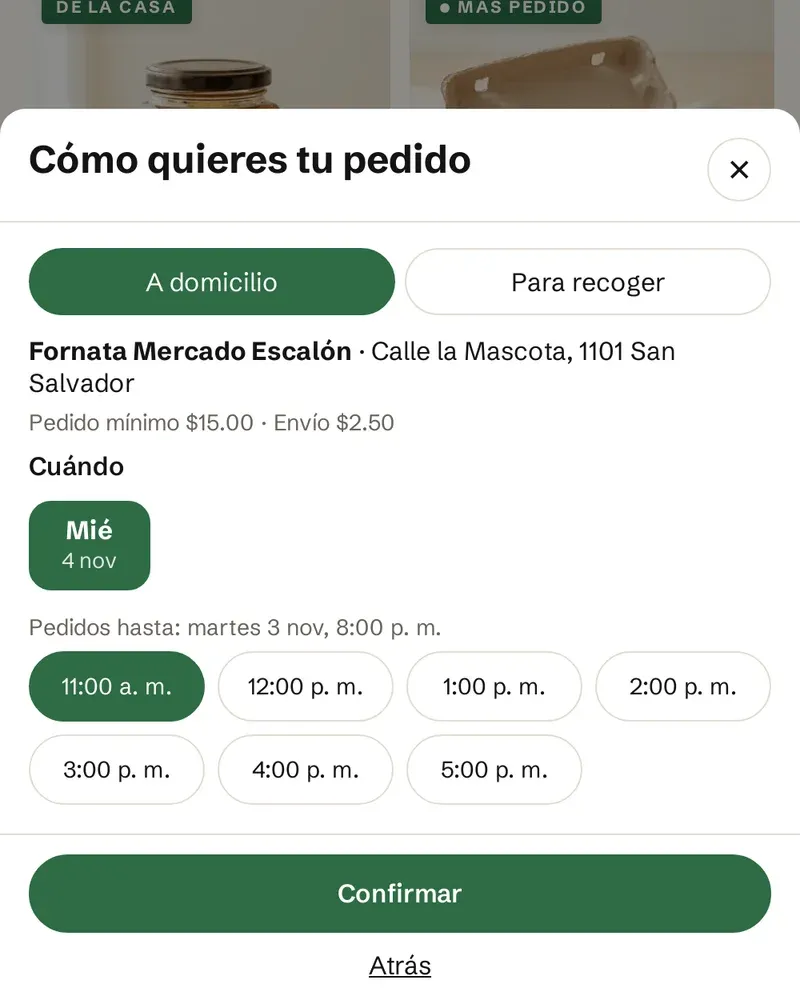
Picks the day and time
Today or your delivery day, with your order cutoff: if you deliver on Wednesdays, they only see Wednesdays.
4
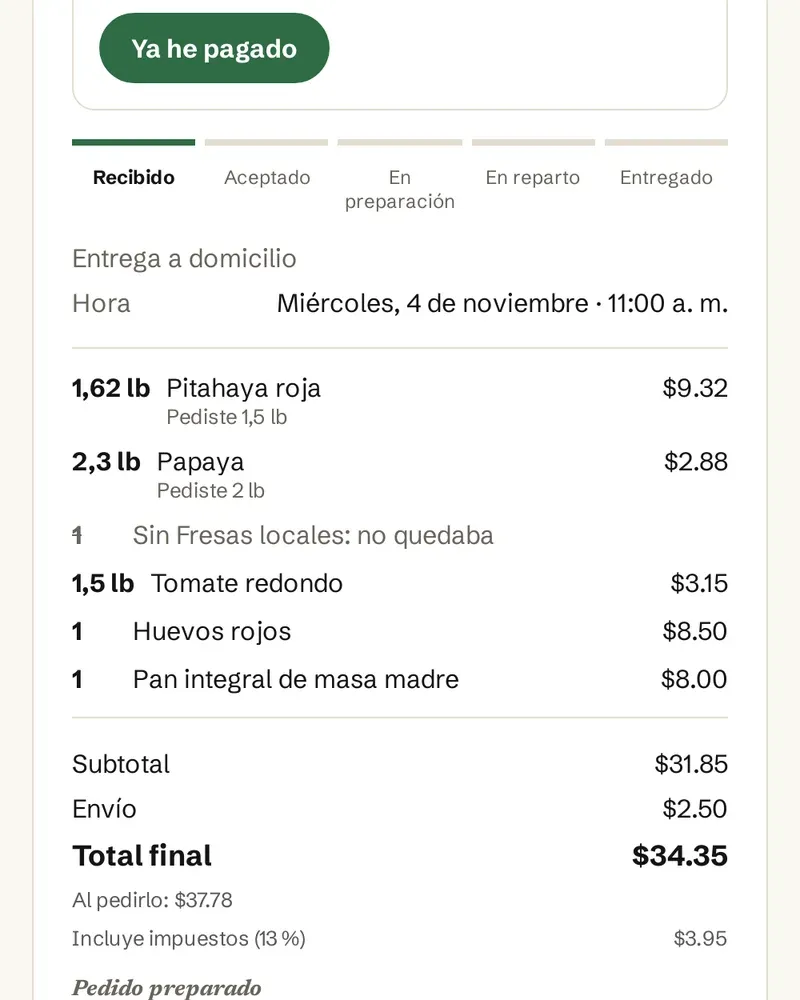
Pays the final total
Once you pick the order, they get the total with the real weight and anything that changed. They pay by bank transfer or on delivery.
Your store
Every order picked without losing track
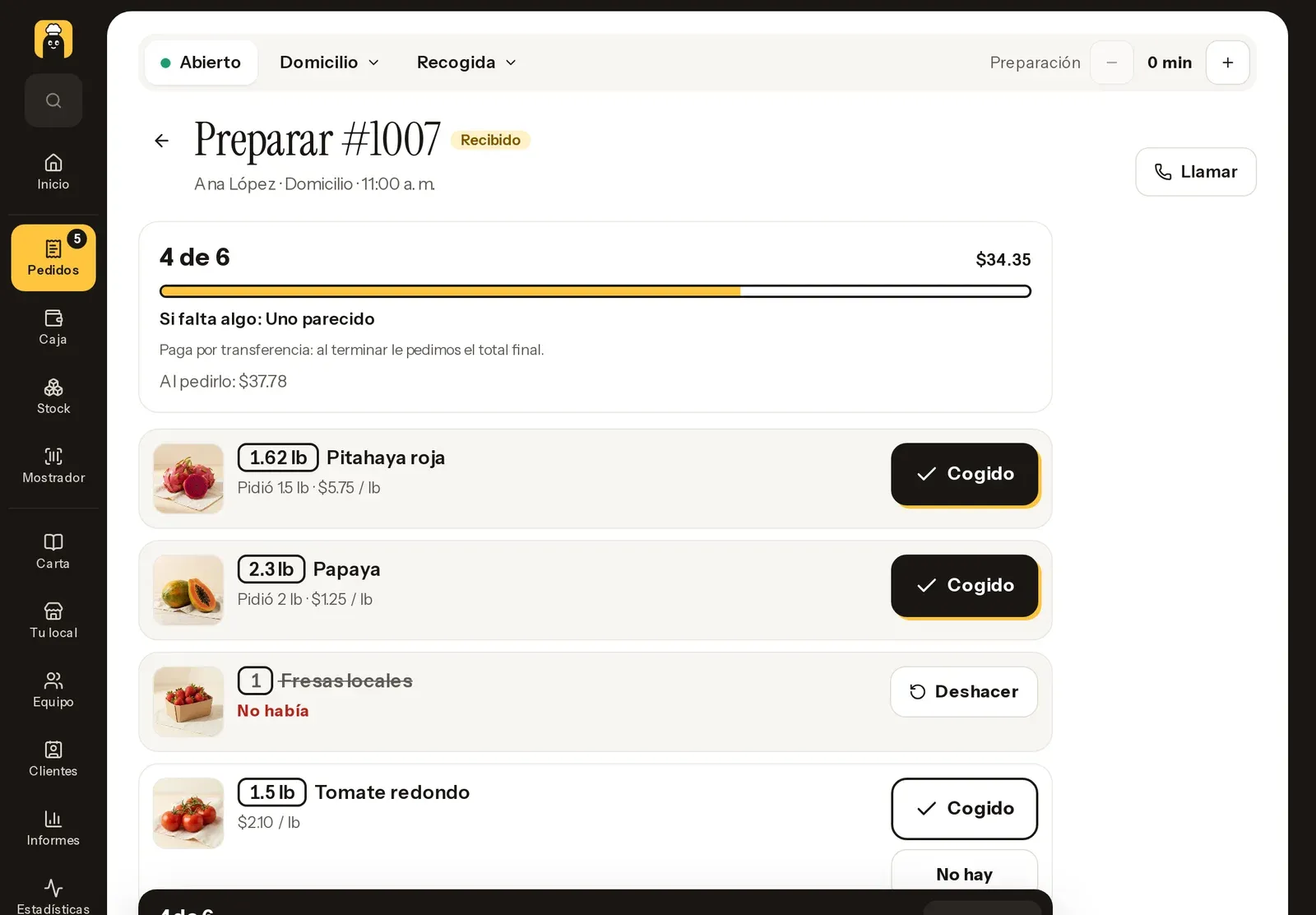
A picking list on your phone or tablet, with the photo, the amount and what the customer wants if something is missing.
The order comes in
With a sound and an alert in the admin, just like a restaurant.
Pick and weigh
Mark it picked, with the real weight for what is charged by weight. If you are out, swap it for another product at its price, leave it out or call the customer.
Order ready
The total updates on its own. Your customer sees the final amount and how to pay on their order page, and by email if they left one.
You deliver it
Your driver opens their link and marks it picked up and delivered, and your customer follows them on the map while it's on its way.
dashboard.eatsallover.com
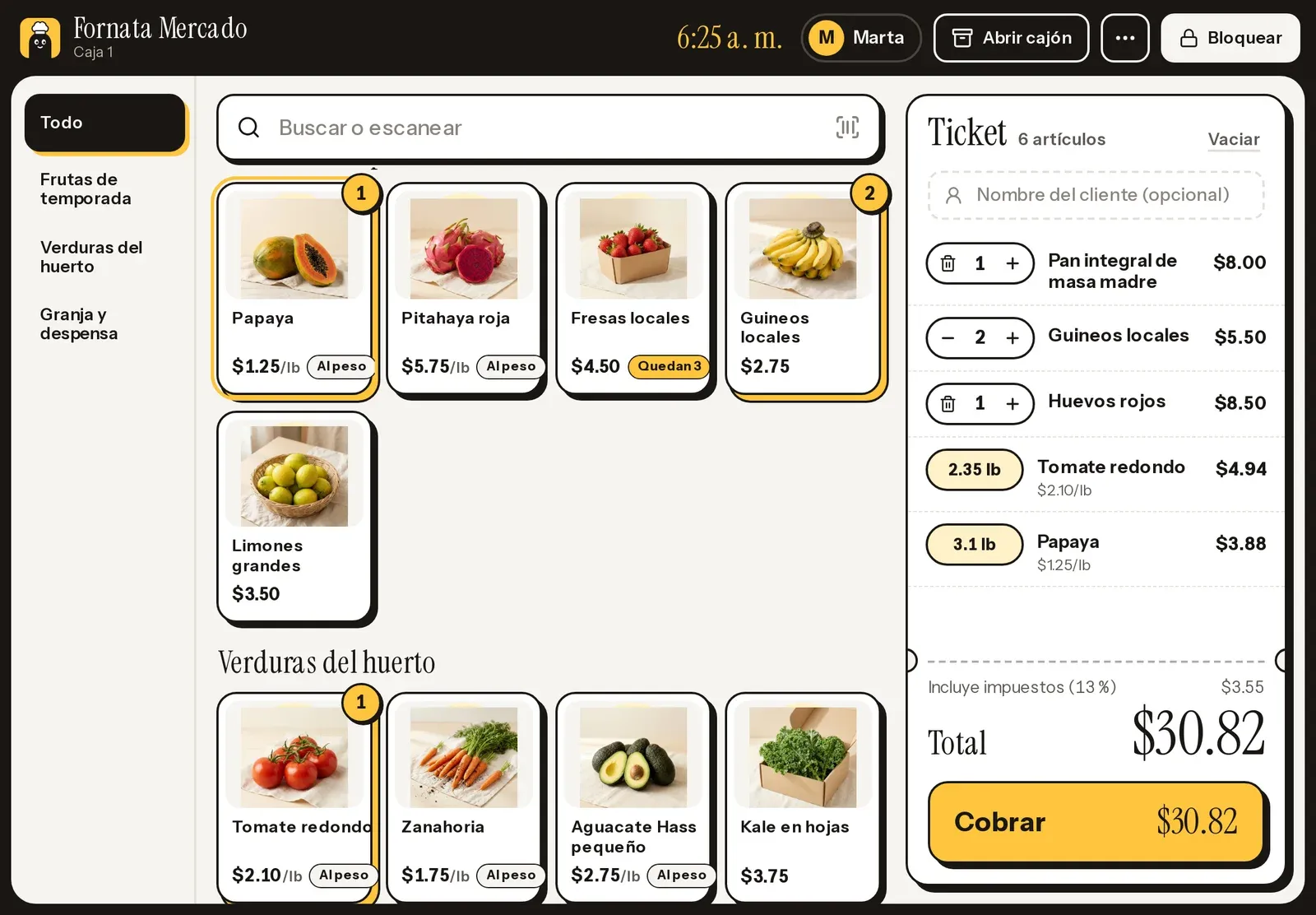
dashboard.eatsallover.com/pos
Sell by weight
Price per pound or per kilo, in steps like half a pound or 250 g
A minimum, a maximum or only set amounts, like 1, 2 or 5 lb
Cut or packed items sell at their price; whole pieces, like a papaya or a chicken, at what they weigh
When something is charged by what it weighs, your customer pays the final total: by bank transfer or on delivery
dashboard.eatsallover.com
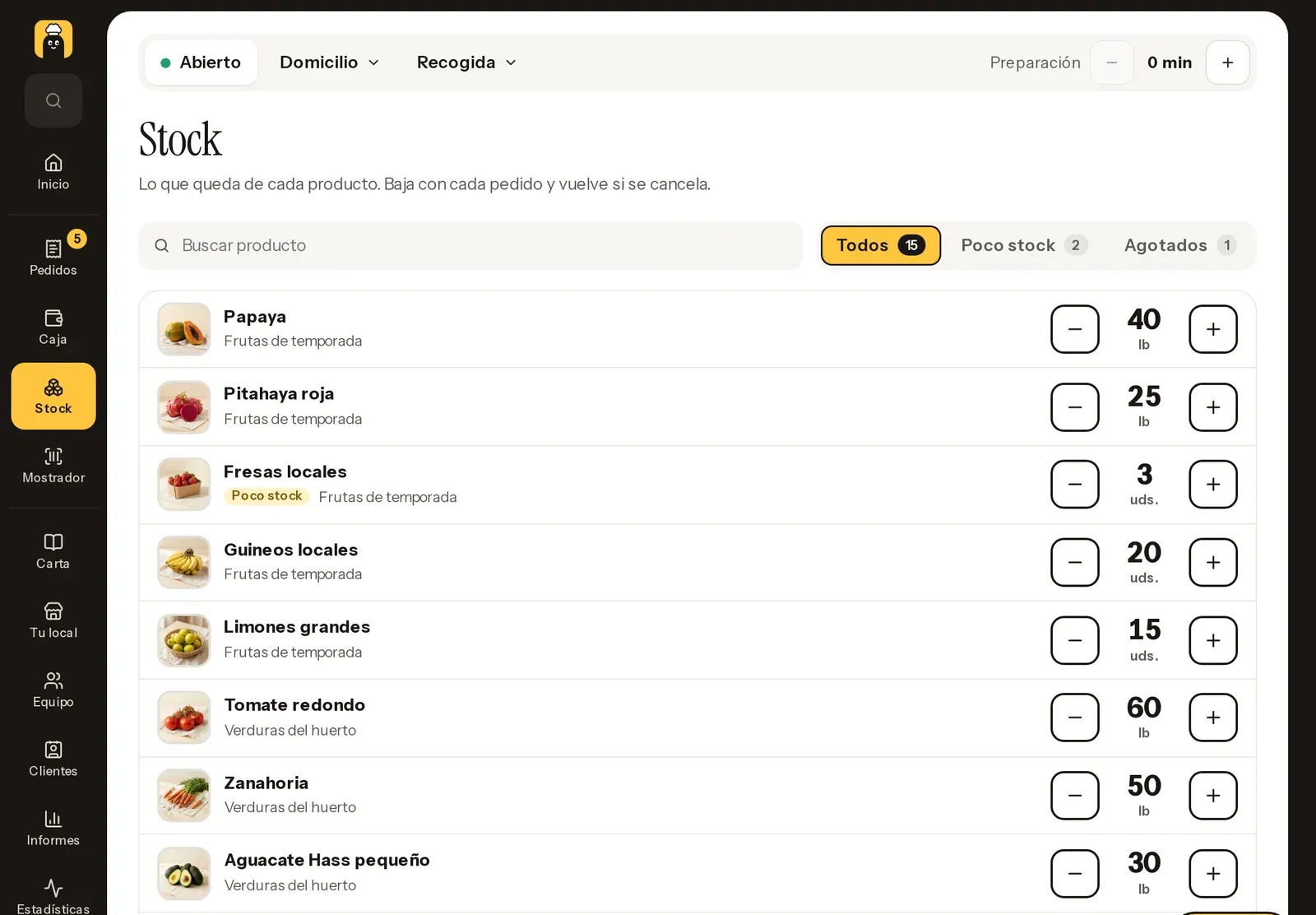
Stock that keeps itself
Goes down with every order and every counter sale, and comes back if an order is canceled
At zero, the product sells out on your website on its own
Customers see when only a few are left, and you see what is running low in the admin
Quick counts with + and - from your phone, location by location
Yes. Each product has its price per pound or per kilo and what each tap adds, like half a pound or 250 g. You can also set a minimum, a maximum or only some amounts, like 1, 2 or 5 lb. You start with your country's unit.
What if it weighs more or less than the customer ordered?
Cut or packed items sell at the price of the amount ordered. Whole pieces that weigh what they weigh, like a papaya, are charged by weight: your customer sees an estimated total, you enter the real weight when picking and the total adjusts on its own. That is why these products are never charged to a card up front: your customer pays by bank transfer or on delivery.
How do I know what I have left?
With stock turned on, each product carries what is left at each location. It goes down with every order and counter sale, comes back if an order is canceled and adjusts when you weigh or swap a product. At zero it sells out on its own, and we let you know when it runs low.
Do I have to add my products one by one?
No. In Menu > Import products you upload an Excel, OpenDocument or CSV file, including the one your register exports. We read name, category, price, unit, barcode, SKU and stock, and you see a preview before importing. Import it again and what you have is updated.
Does it replace my cash register?
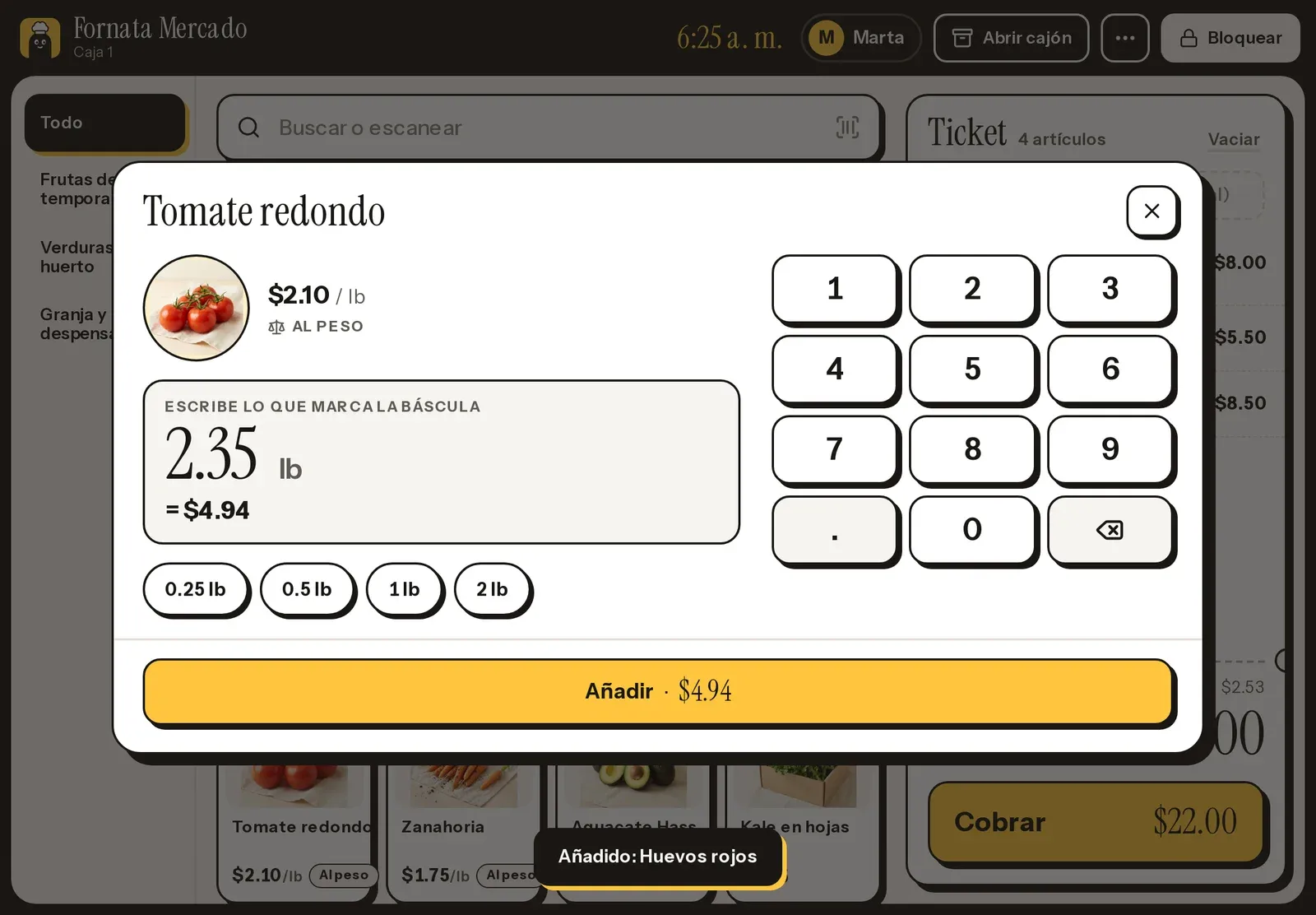
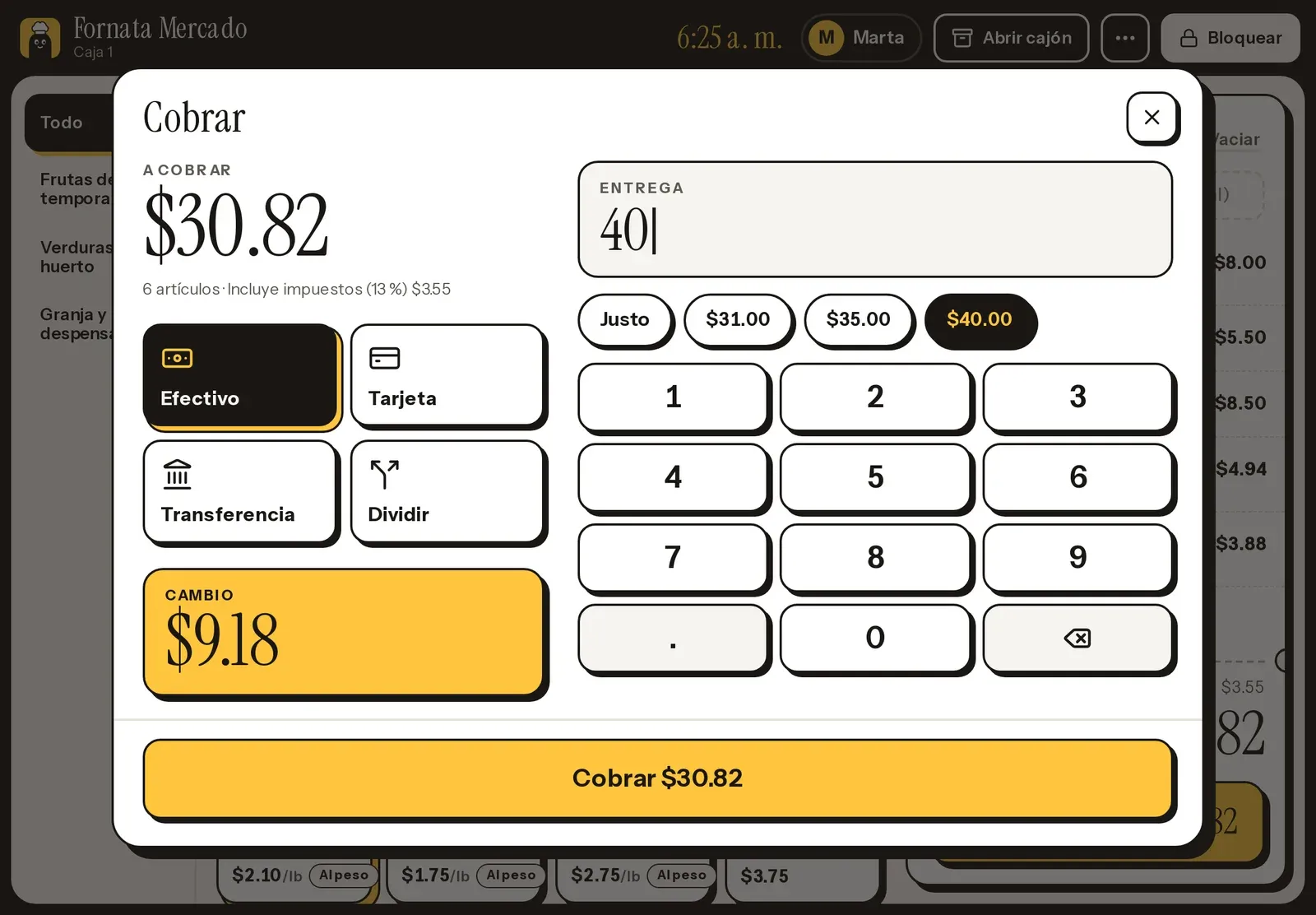
For selling at the counter, yes: you take cash, card on your terminal or bank transfer, and the sale goes into the day's cash count, the reports and the stock. What it does not do yet is issue your country's fiscal receipt or invoice: if you need one, keep your register for that.
Does it work with my scale and barcode scanner?
The scanner does, if it works like a keyboard: scan and the product goes on the ticket. The scale does not connect yet: weigh as usual, type the weight and the price shows up.
Can I deliver only on some days?
Yes. Each service can have its own hours, for example delivery only on Wednesdays from 11 a.m. to 5 p.m., and an order cutoff, like 8 p.m. the day before. Your customers choose from the days you deliver, up to two weeks ahead.
I have a store and a kitchen in one place. Can I run both?
Yes. One business and one location can do both: cooked items go to the kitchen screen and the rest is picked as a store order. Your customers order everything on the same website, in one cart.
How much does it cost?
The same as a restaurant. The Menu plan is free forever and Eats All Over costs $29 a month per location, never more than $499, with unlimited orders and no commission. Selling by weight, stock and the counter are included.
Another question? Write to us at [email protected] and we will get back to you.
Open your store online today
Start free, bring your products and try everything in Eats All Over for 30 days.