Delivery apps keep up to 30%
Your restaurant online, no commissions
Website, ordering, reservations, floor and kitchen in one app. AI sets it up for you from a photo of your menu.
Free Menu plan forever. Unlimited orders for $29 a month per location. 30 days free, no card. No setup fee, no contract.
- 0%commission per order
- Your accountmoney goes straight to you, no middleman
- 10 languagesyour menu translates itself
- No contractand no setup fee
AI built in
- Reads your menu from a photo
- Translates it into 10 languages
- Gets it ready for Google and AI assistants
- Checks your printers and screens
- Introduces your food for you
- Included in the price
What it fixes
Service headaches, solved
A ticket that never prints and nobody notices
An instant alert if it doesn't print
Guests waiting to order or pay
They order, call and pay from the table
The wifi drops in the middle of dinner
The waiter app keeps taking orders
A paper menu that's always out of date
One menu, on phones and on paper
Contracts, setup fees and pricey hardware
No contract, on your phone or tablet
AI built in
AI does the heavy lifting
It's not a chatbot for show. It's what saves you hours setting up your place and running it every day. Included, at no extra cost.
Reads your menu from a photo
A photo, a PDF or a link: out come the categories, dishes and prices. Everyday products like soft drinks or beers come with their photo.
Translates it on its own
Your website and menu in 10 languages. Change a dish and it updates in all of them; what you correct by hand is never overwritten.
Ready for Google and AI assistants
Your menu, hours and address are published the way search engines and assistants read them. And it is ready for an assistant to put together an order or book a table.
A helper that checks your setup
Ask it why the kitchen isn't printing: it checks your printers, screens and payments before it answers. If needed, it hands you over to the team.
Introduces your food for you
The line that says what you cook comes from your own menu. If you write it yourself, yours wins.
What changes
The usual way: Typing in your menu dish by dish
With Eats All Over: One photo, then you review it
The usual way: Paying for every translation
With Eats All Over: 10 languages that keep themselves up to date
The usual way: Waiting for support to get back to you
With Eats All Over: An answer right away, with your setup checked
The usual way: Getting found is up to you
With Eats All Over: Your menu and hours, ready for Google and AI assistants
AI suggests, you decideYou review your menu before it goes live, and nothing you change by hand gets touched again.
AI photos
From a phone snap to a menu photo
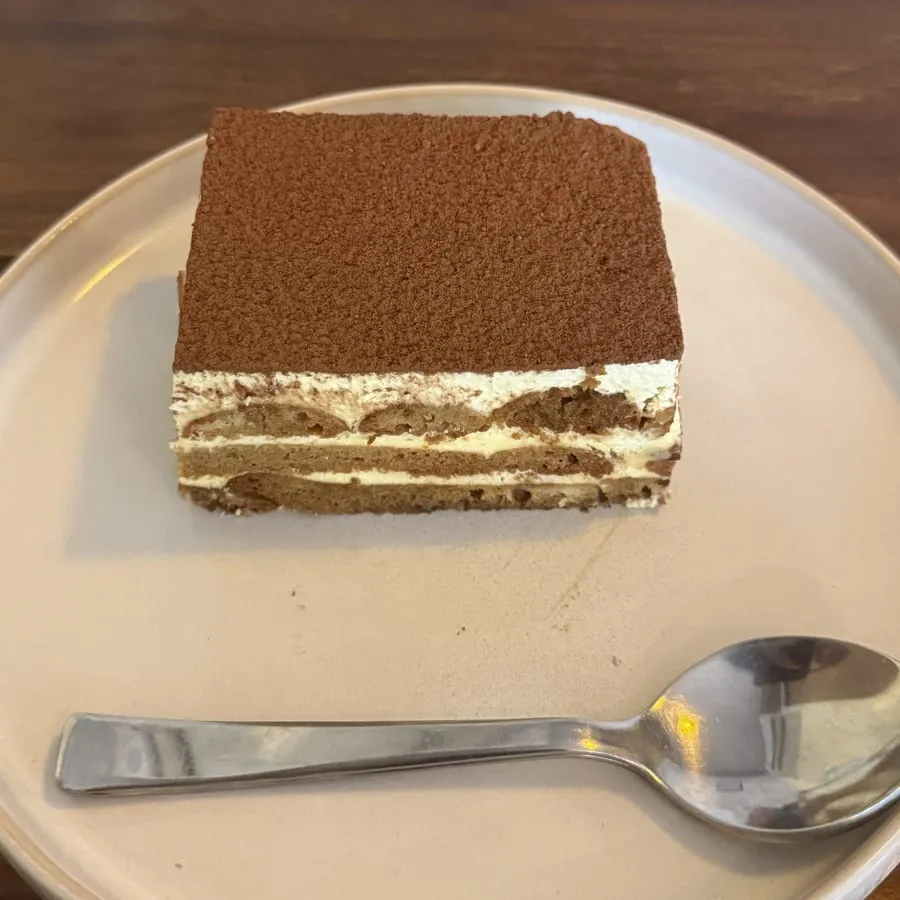
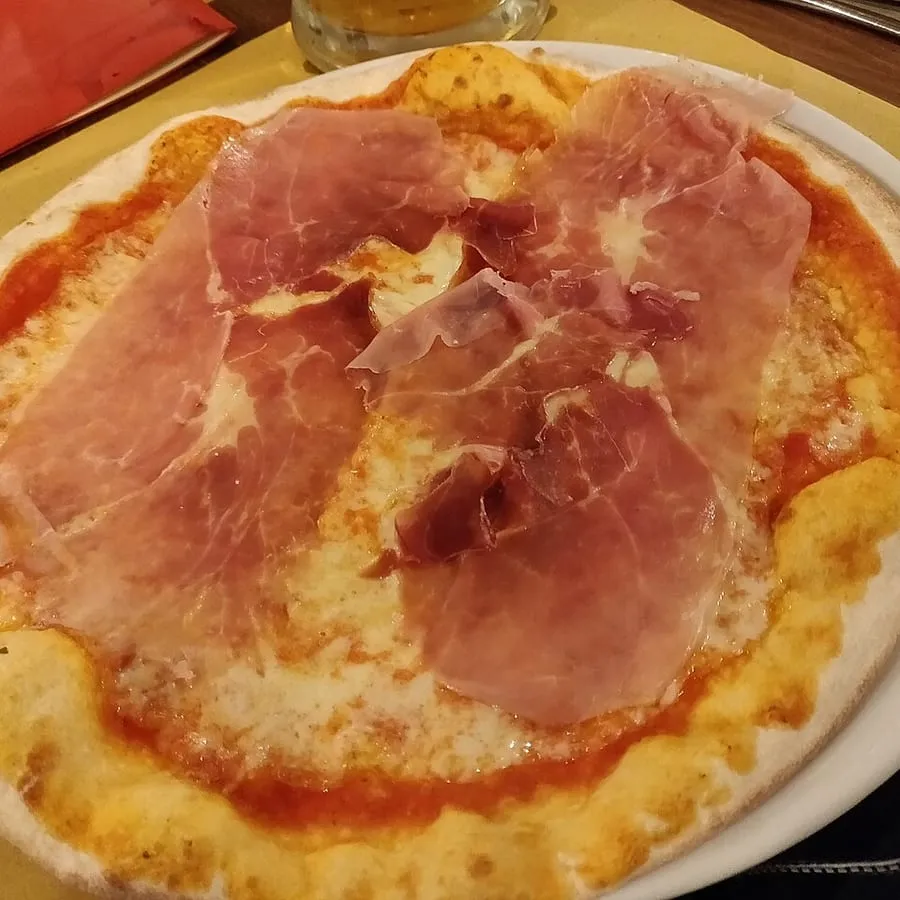
Take a photo of your dish or product, however it comes out. AI shoots it again in studio light, ready for your website and your menu.
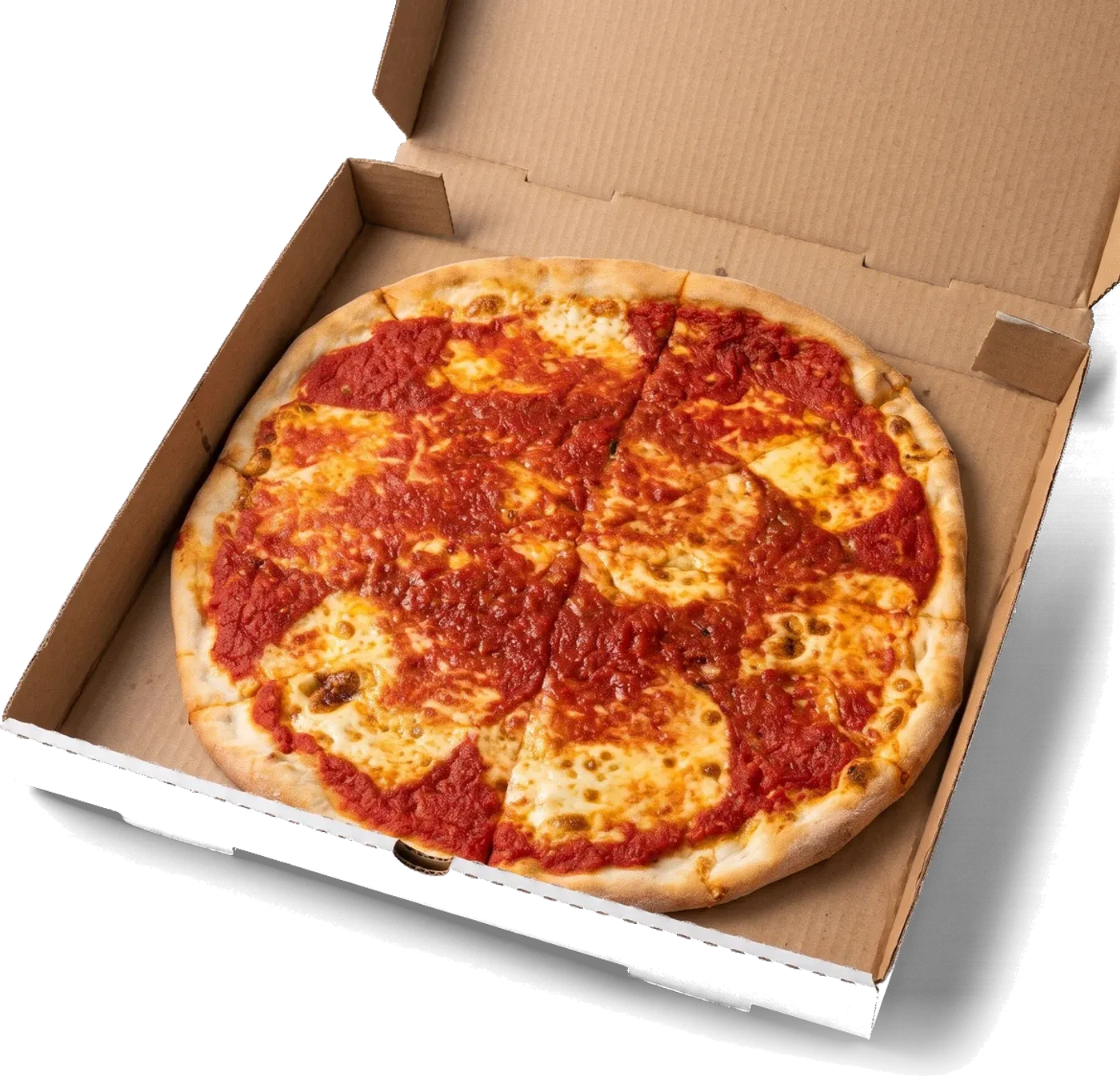 With AI
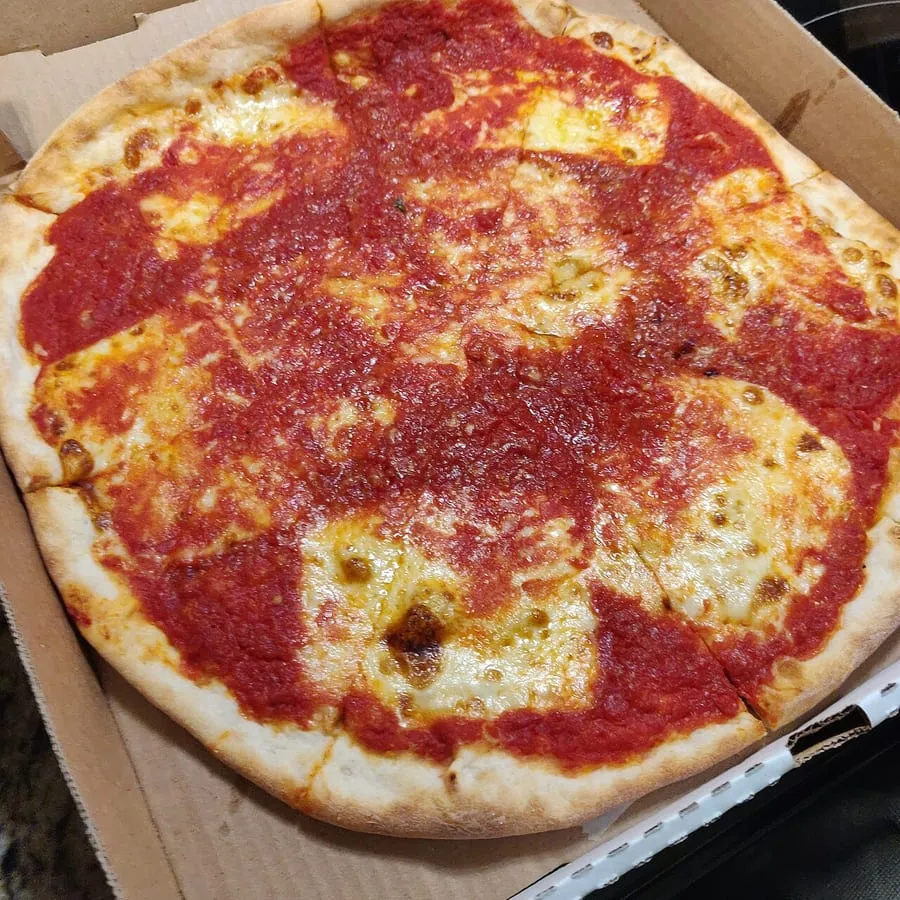 Your photo
Margherita pizzaStudio, no background 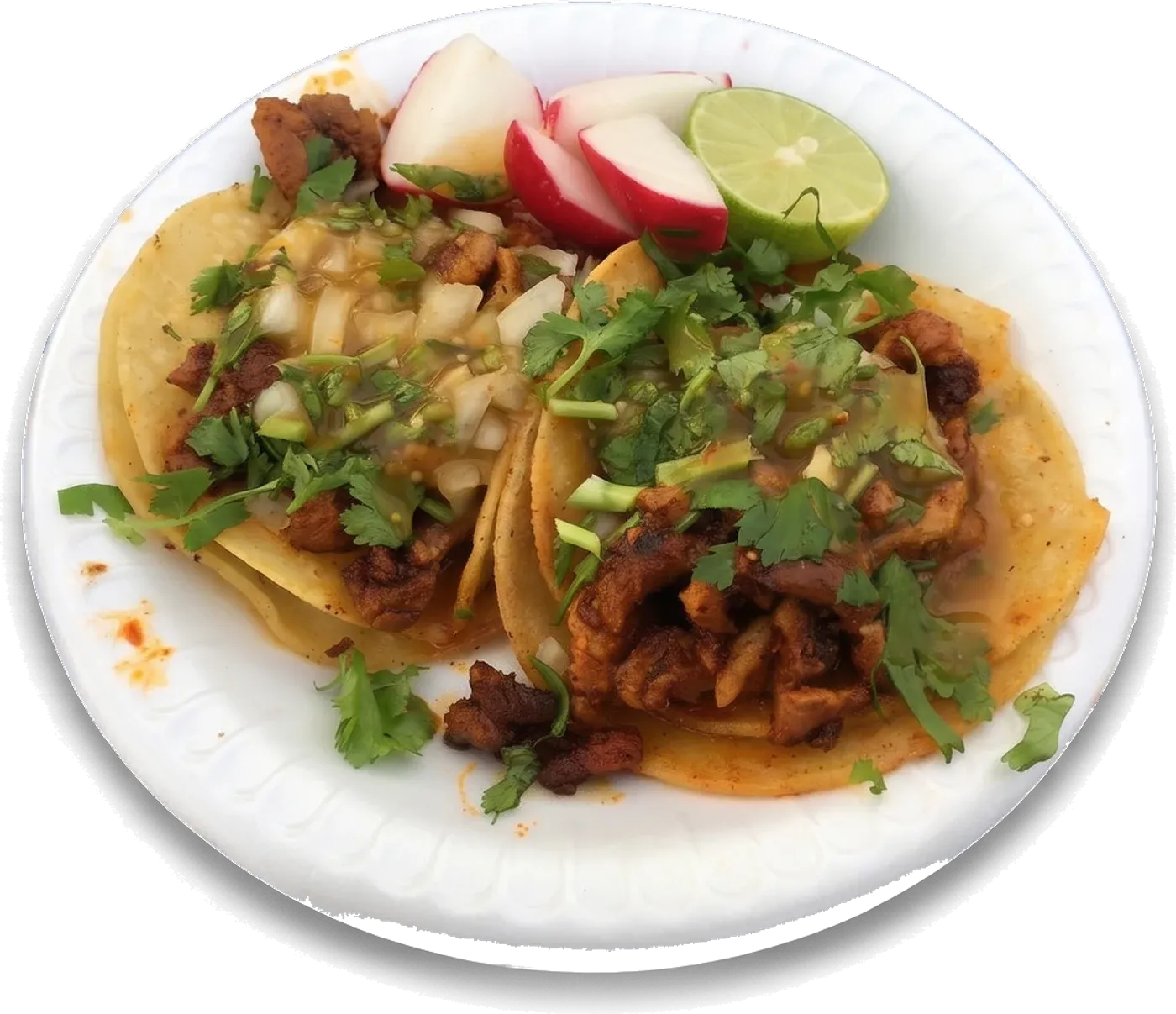 With AI
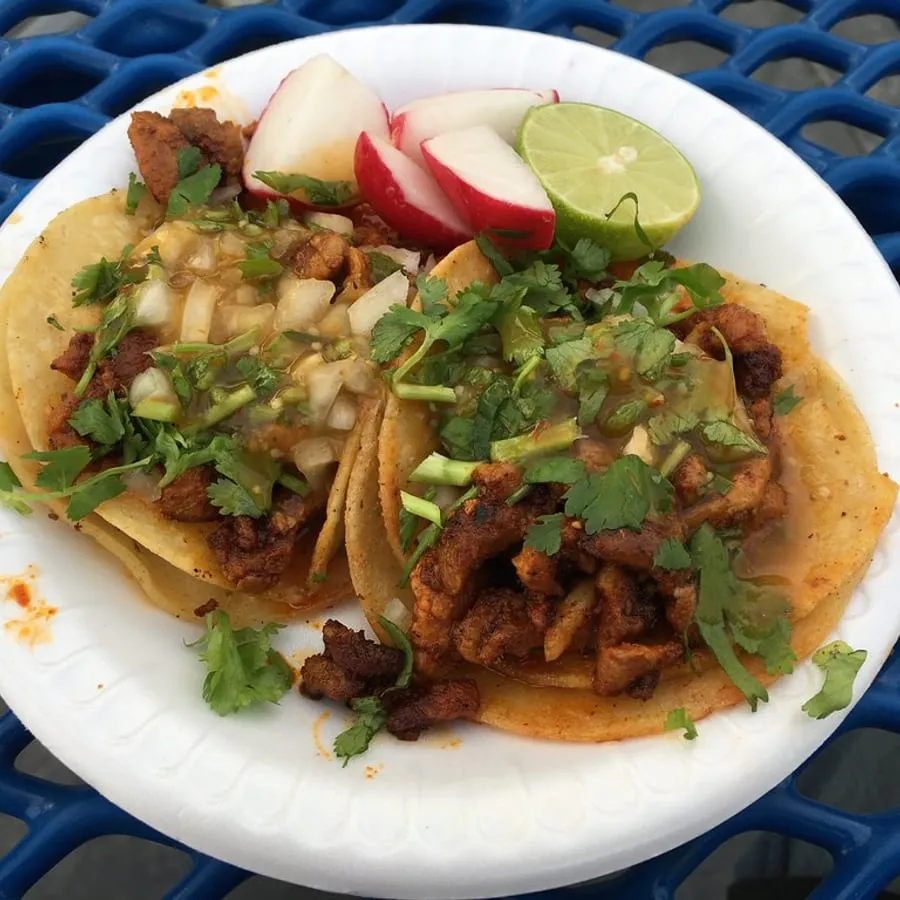 Your photo
Tacos al pastorStudio, no background 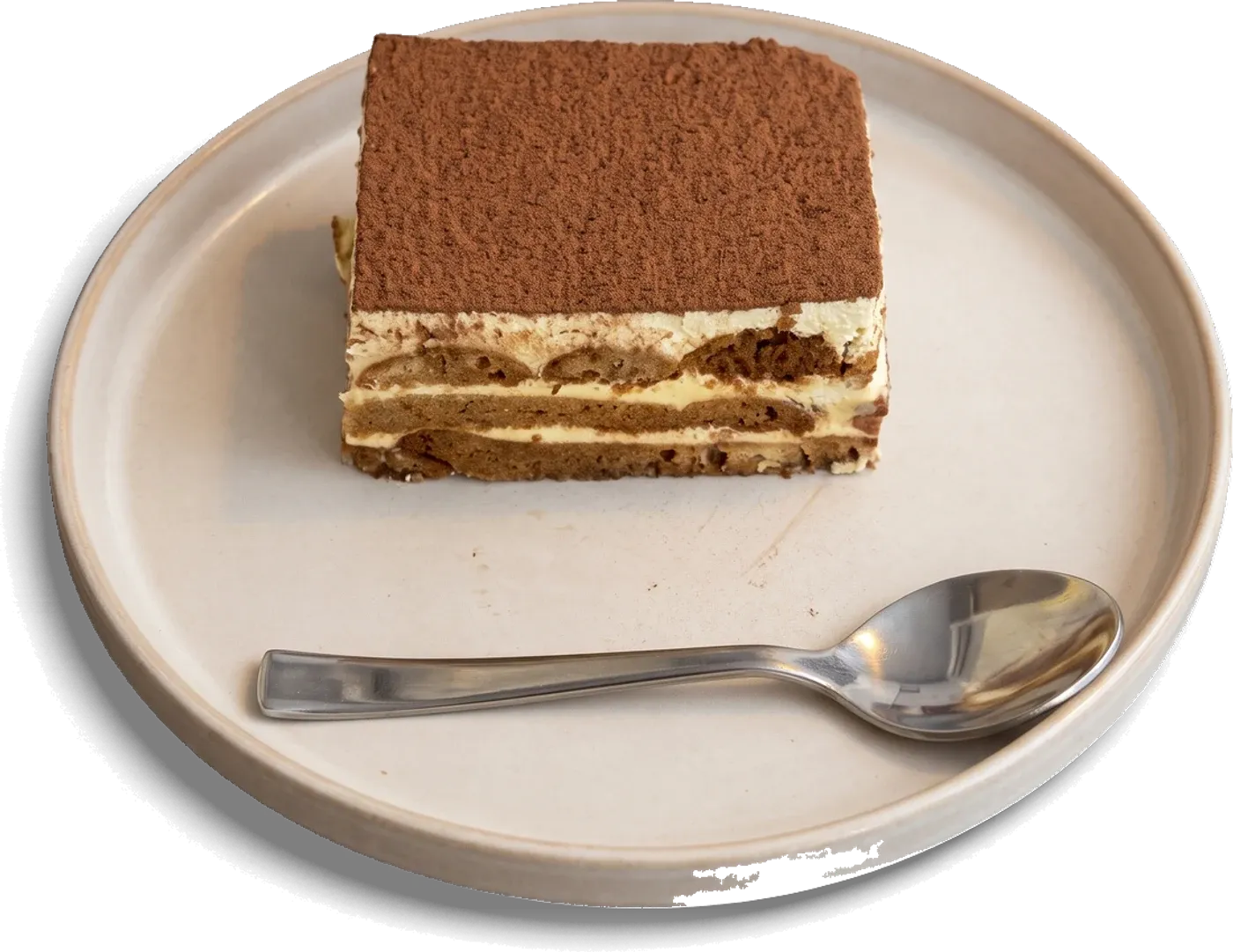 With AI
 Your photo
Homemade tiramisuStudio, no background 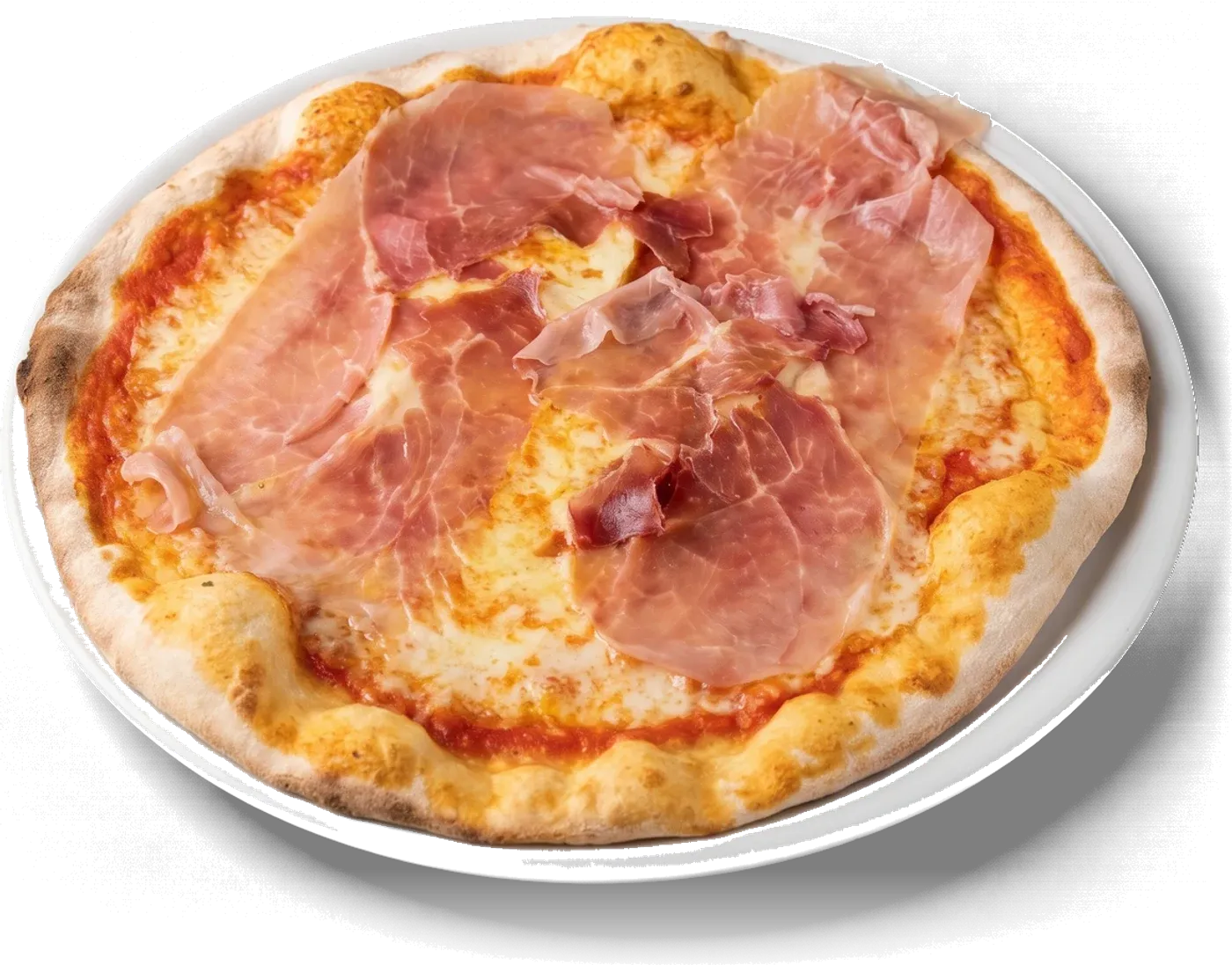 With AI
 Your photo
Serrano ham pizzaStudio, no background 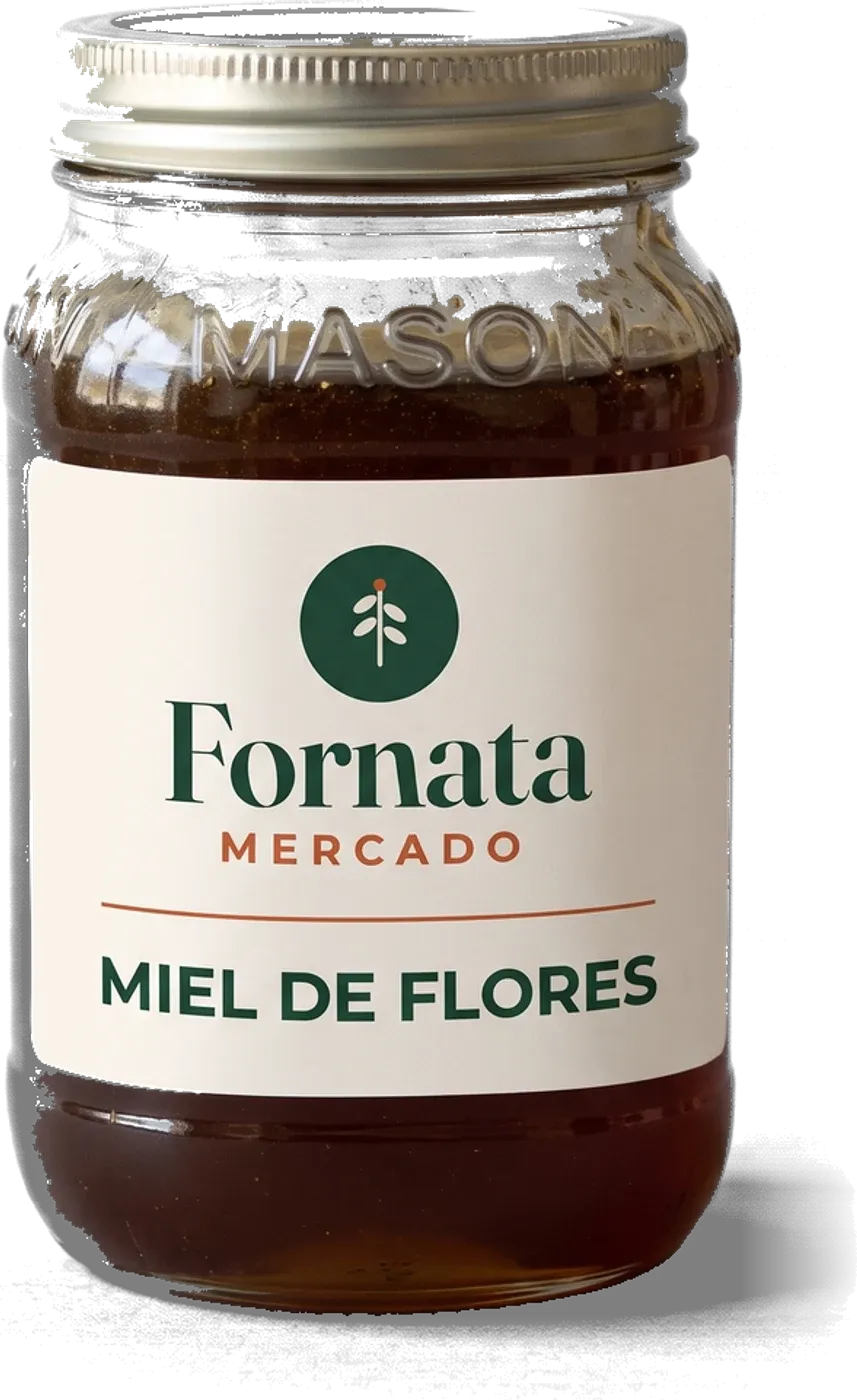 With AI
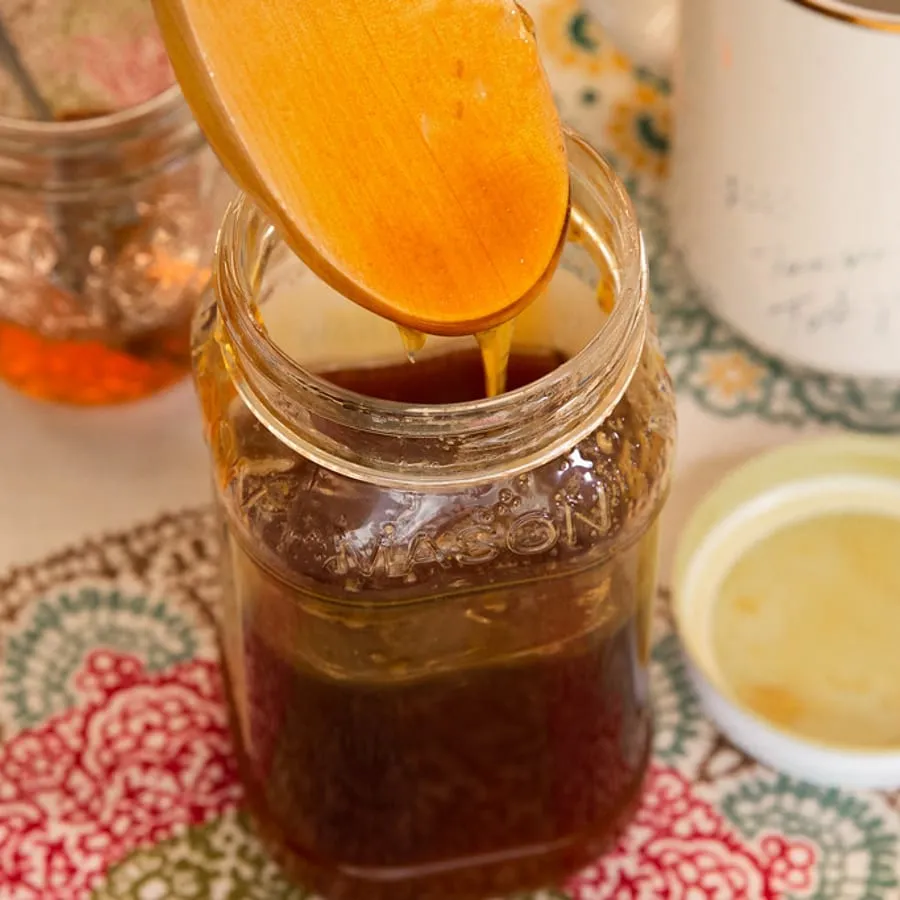 Your photo
Wildflower honeyYour logo and its name on the label 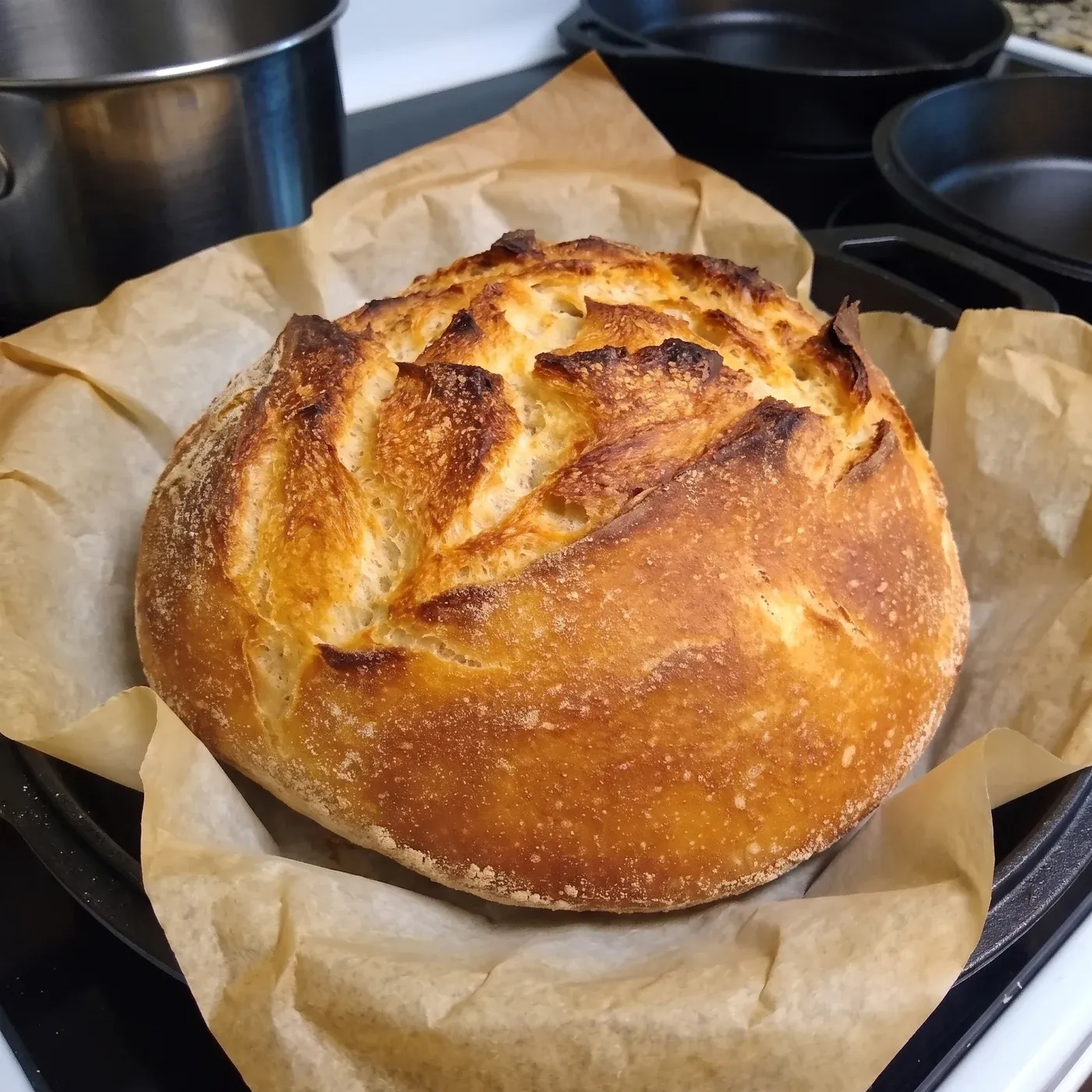 With AI
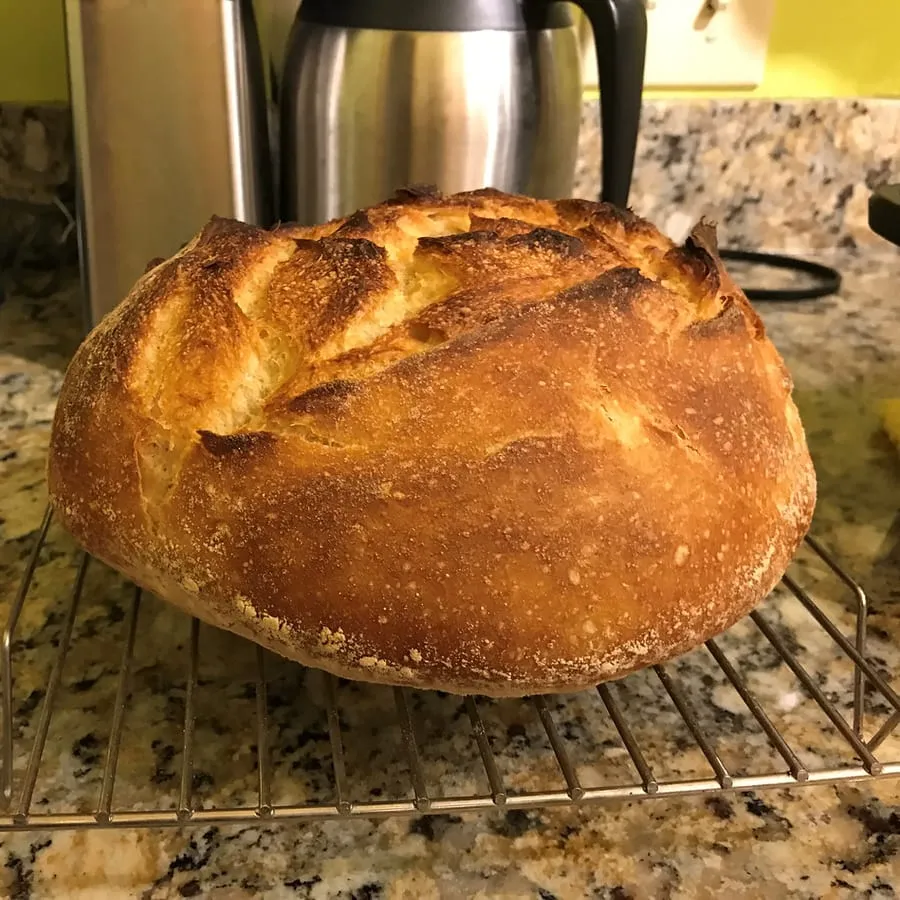 Your photo
Sourdough breadIn the light of your other photos
It's still your dishA second AI compares both photos: same ingredients, same plate, nothing added. If it has doubts, it tells you why and you decide.
$0.08 per photo, from credit you top up from $1. On any plan, the free one too. Removing the background from your photo costs nothing.
Real examples: freely licensed phone photos, run through the Eats All Over studio as they are.
The product
Your whole restaurant, in one app
Website, ordering, reservations, floor, kitchen, counter and back office, connected. Start with what you need today and add the rest whenever you like.
Website and menuFree
Your website and menu, everywhere
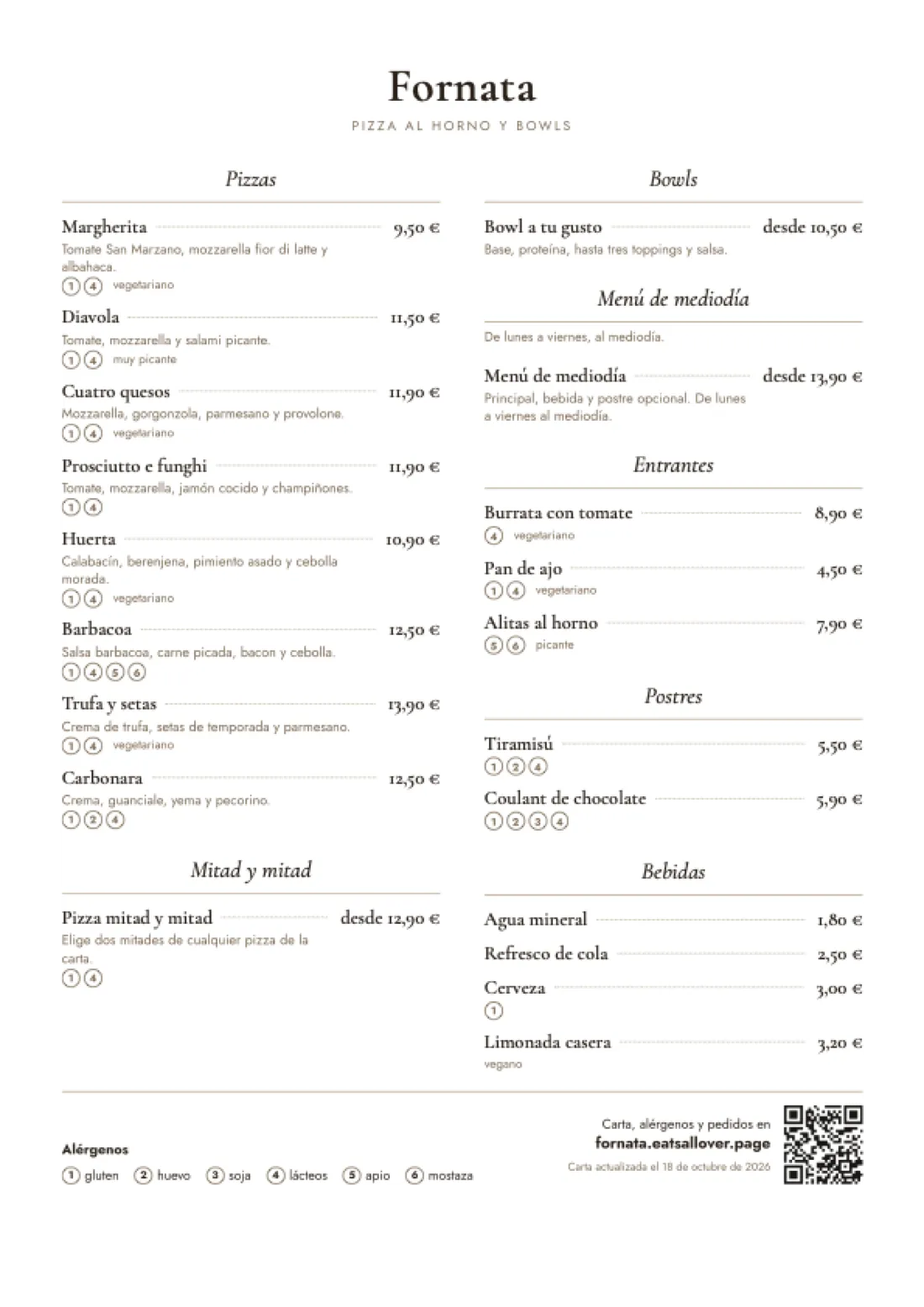
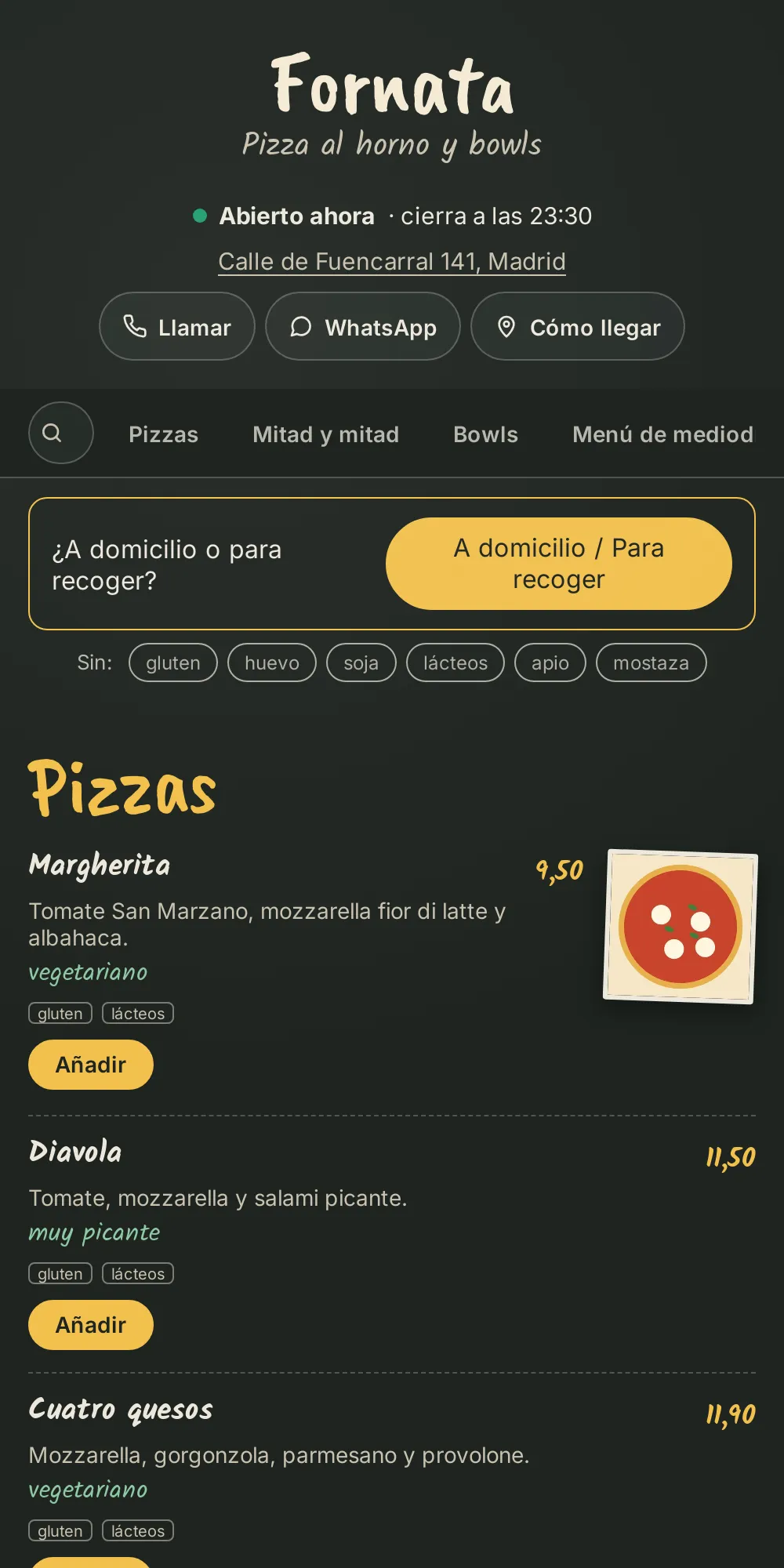
Guests see your up-to-date menu on their phone, in their language, and the paper menu comes from the same menu.
- Your own website, with your logo, menu, photos and allergens, in each guest's language
- Open now, call, WhatsApp and directions, one tap away
- On paper: laid out automatically from your menu, ready to print
- Sold-out dishes disappear instantly
Online ordersEats All Over
Orders from your website, commission-free
You sell from your own website and every order goes straight to your admin and kitchen, with no commission.
- Delivery in your zones, or pickup at the time they choose from the nearest location
- One-screen ordering: their details are remembered and they repeat their last order in one tap
- They pay by card, Apple Pay, or Google Pay, or on pickup
- Orders land in the admin and in the kitchen, and alert your team's phones even with the admin closed
- With your own driver, customers follow their order on the map
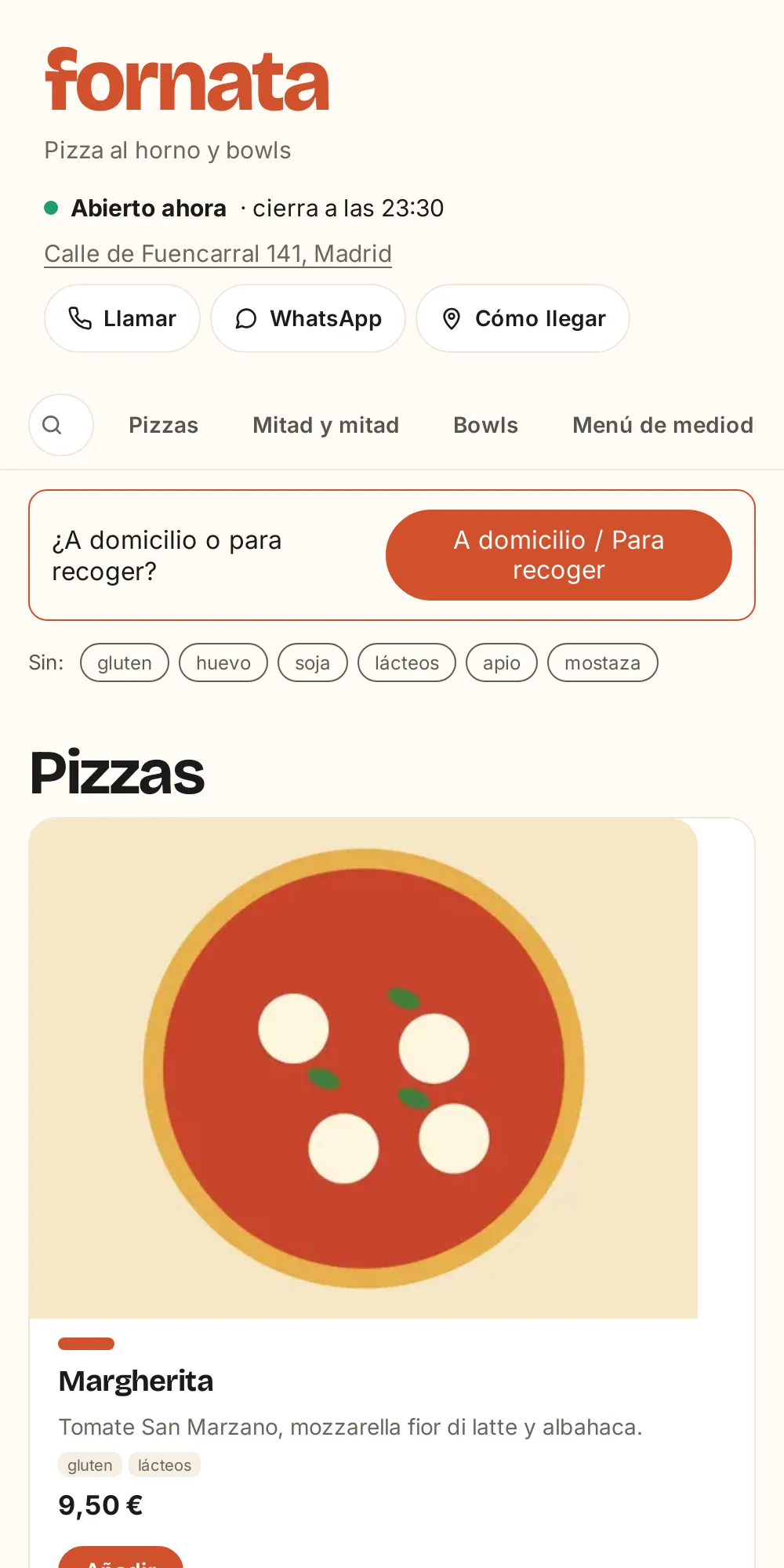
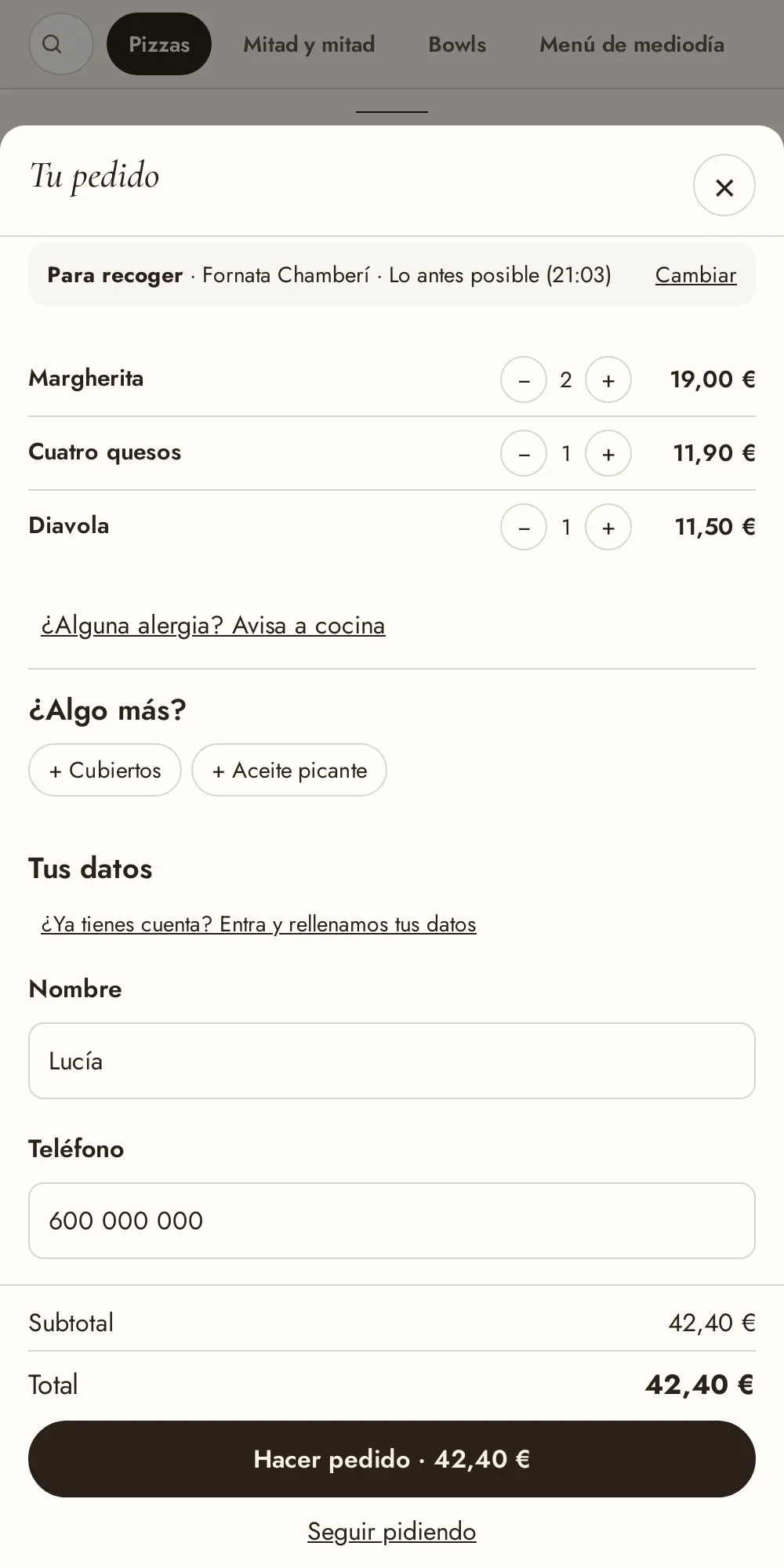
Table and floorEats All Over
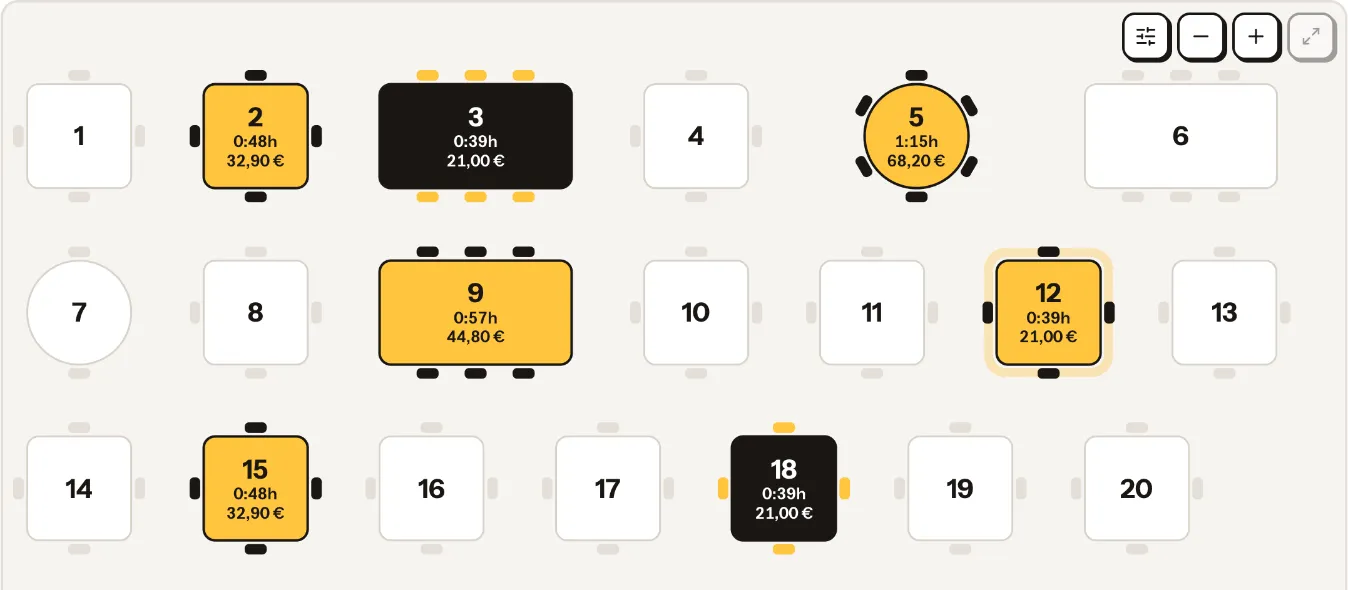
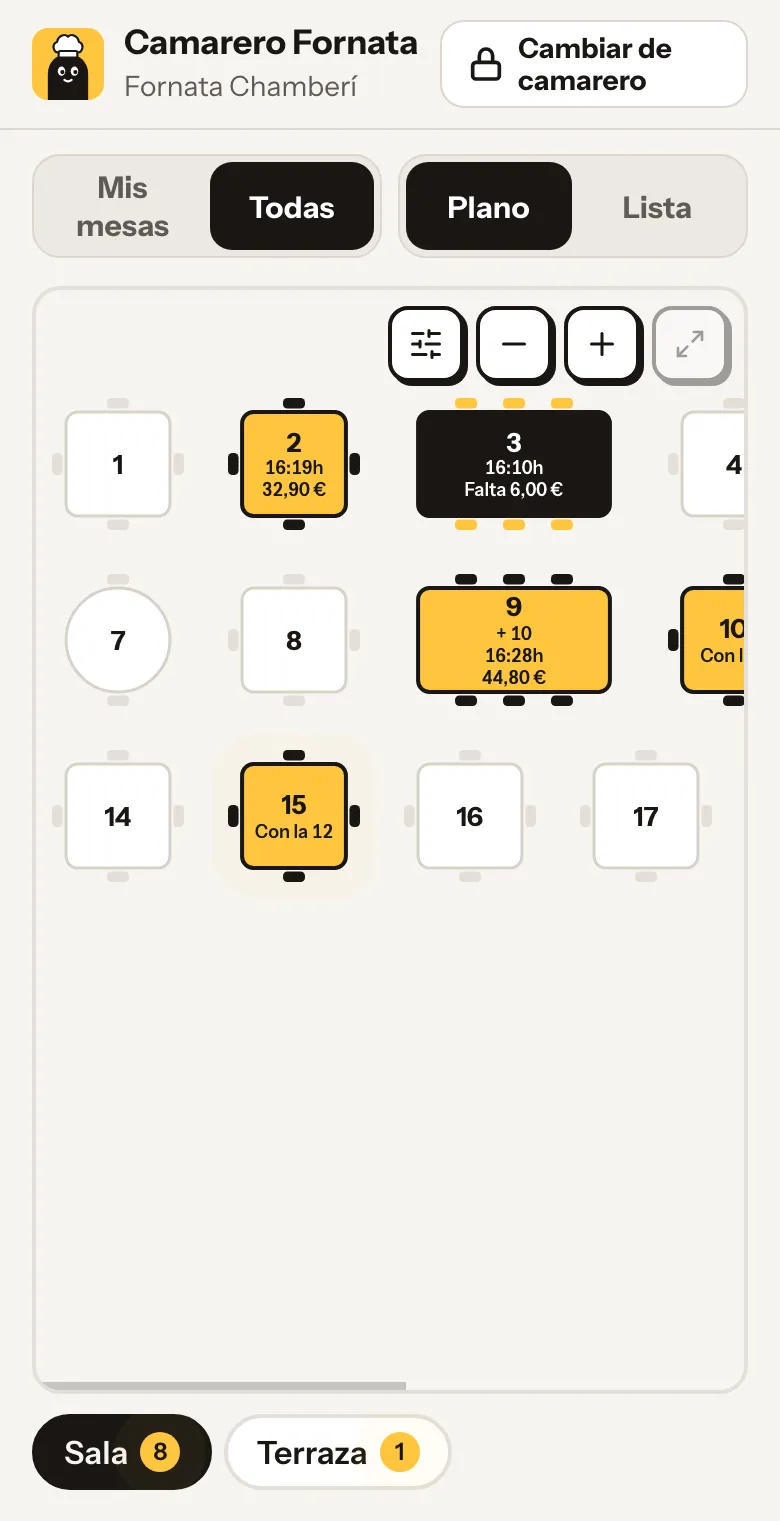
The floor, in your hand
From the table's QR, guests order, call and pay, and your team sees right away which table needs something.
- A QR per table: guests order, call and pay
- Tables that call, ask for the check or wait for a round come first in your admin
- Waiter app on the phone: offline, it saves the order and sends it once the connection is back
- Join tables and split the check
- Reservations from your website, with a reminder the day before
KitchenEats All Over
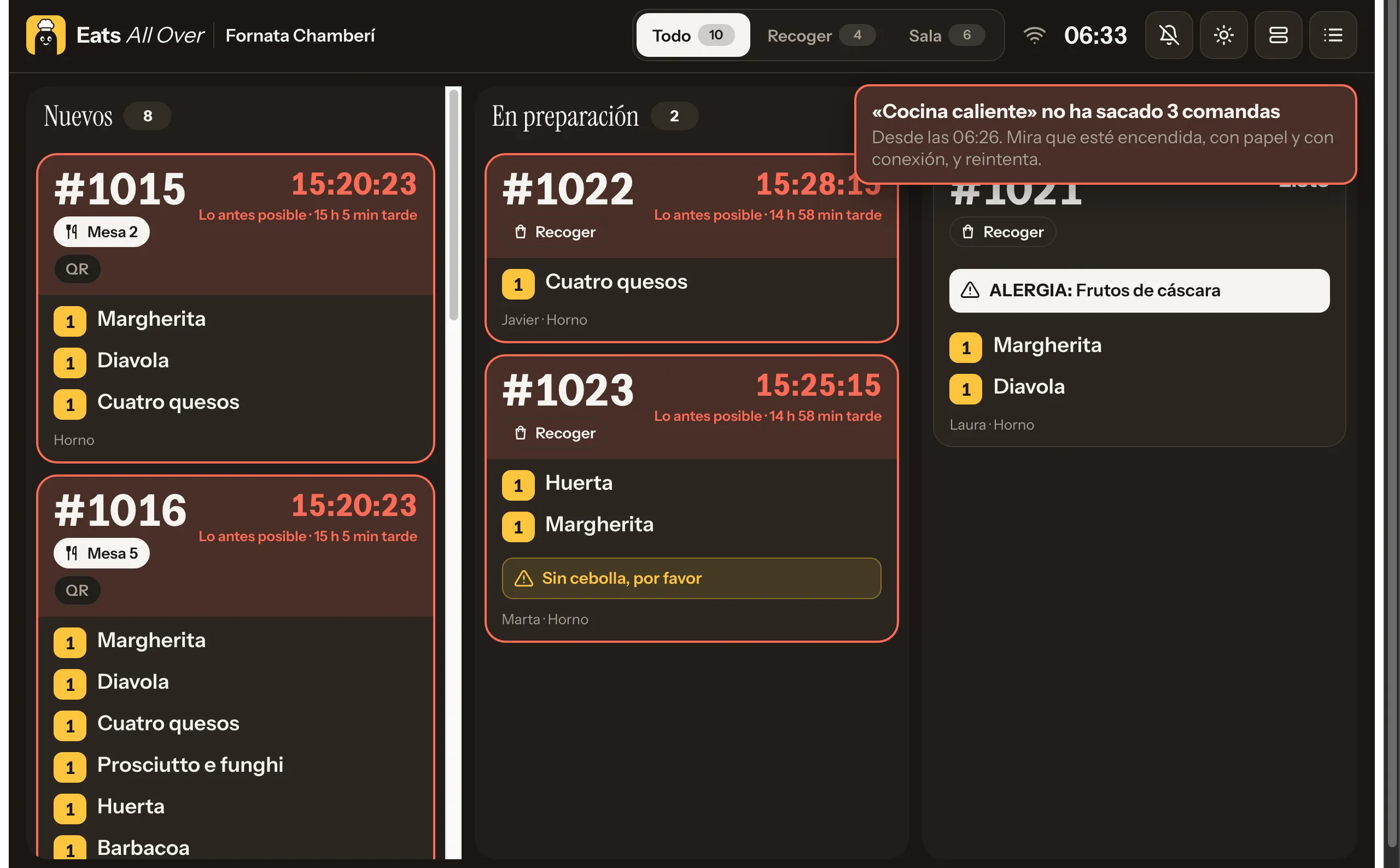
A kitchen with no surprises
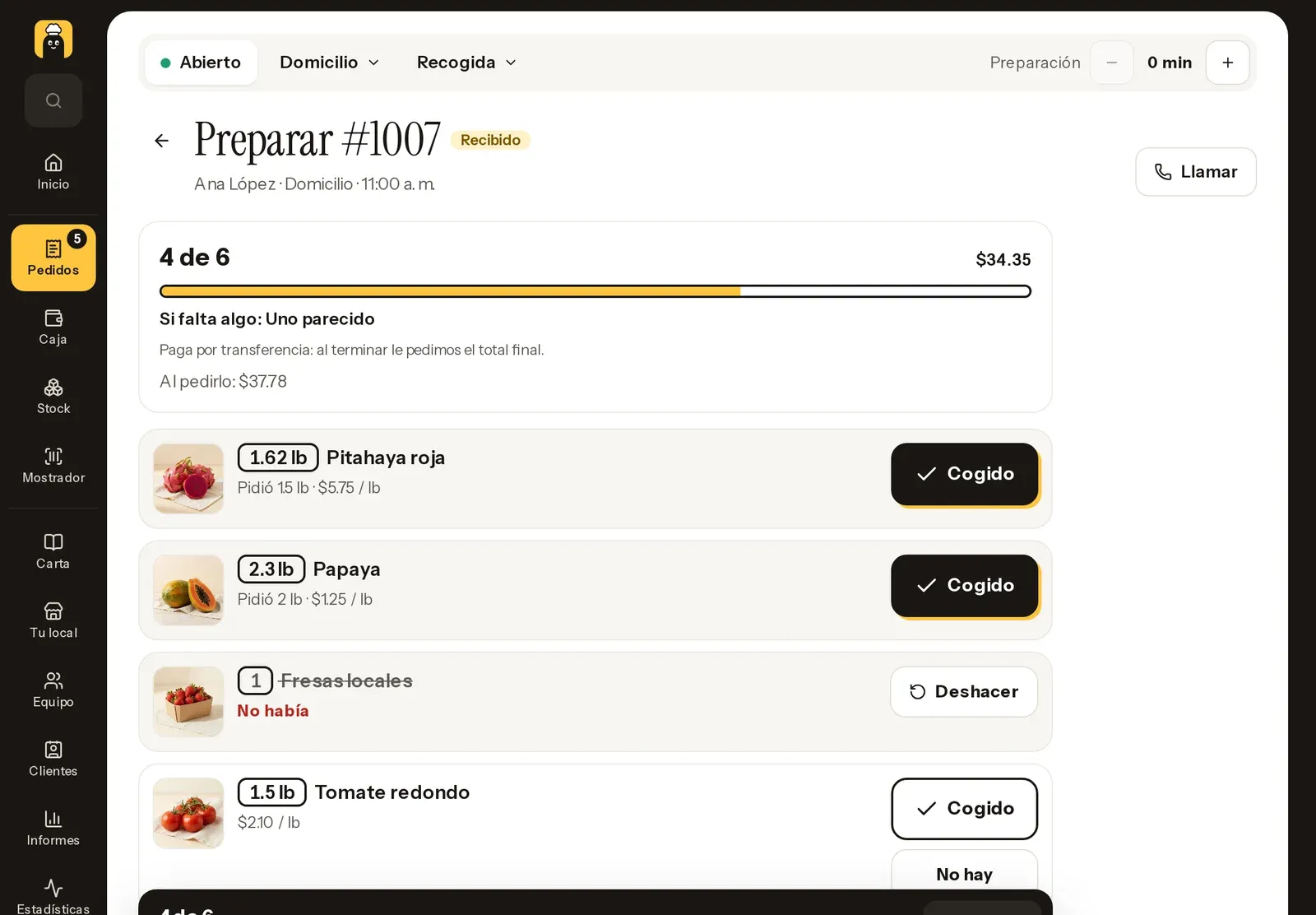
Every ticket reaches its station instantly, and if one doesn't print you know before the guest does.
- Orders arrive instantly, each at its station
- An instant alert if a ticket doesn't print
- The guest's allergies, easy to see on the screen and on the ticket
- Running late or out of something? Add time or mark sold out, in one tap
Back officeEats All Over
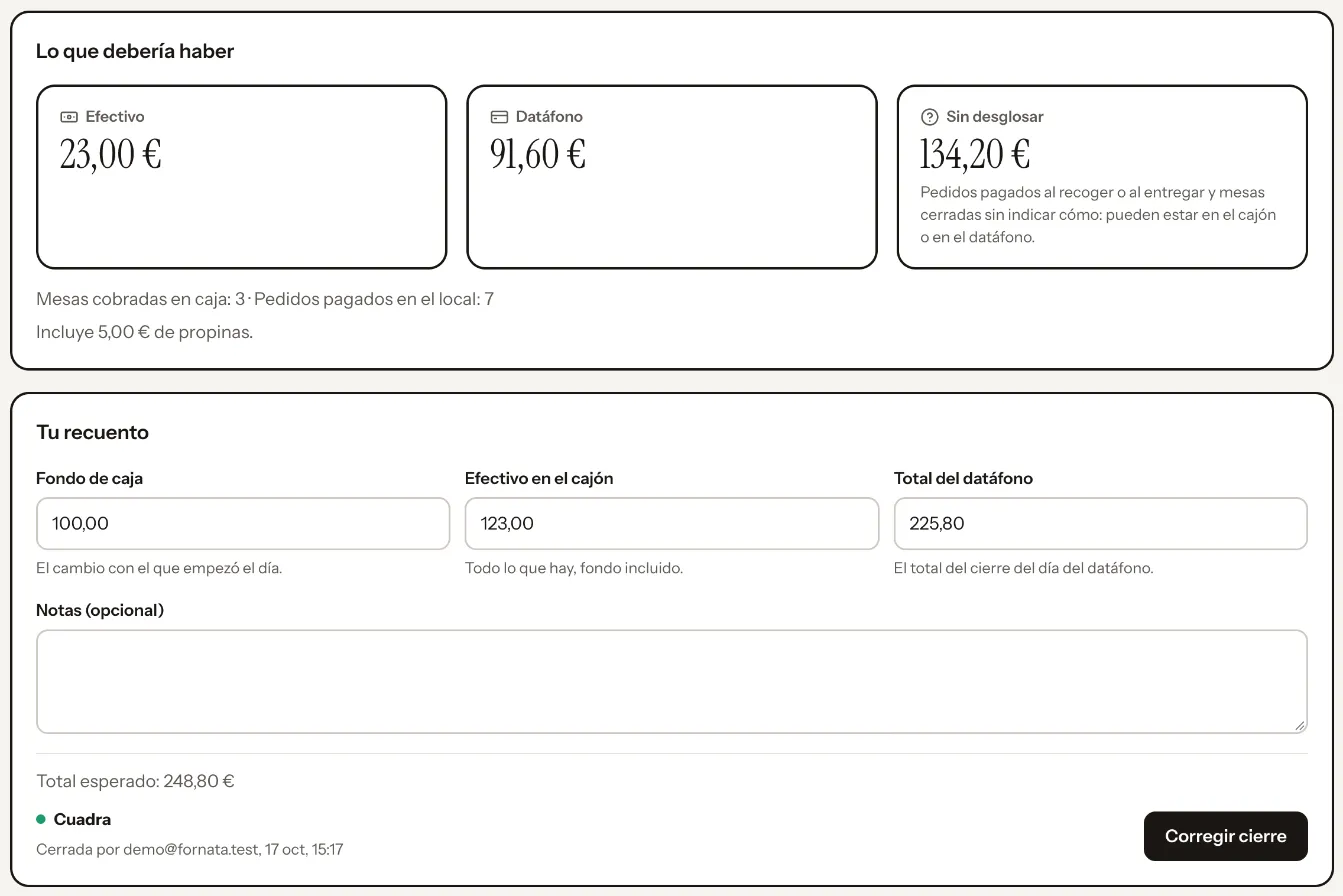
Your numbers, clear
You close out the day in a minute and see what you sell, what earns you a margin and what you save on commissions.
- The day's cash count balanced in a minute
- Where your guests come from and how many end up ordering
- What you save on commissions, every month
- Purchasing, expiration dates and the margin on each product
- Sales ready for your accountant
CounterEats All Over
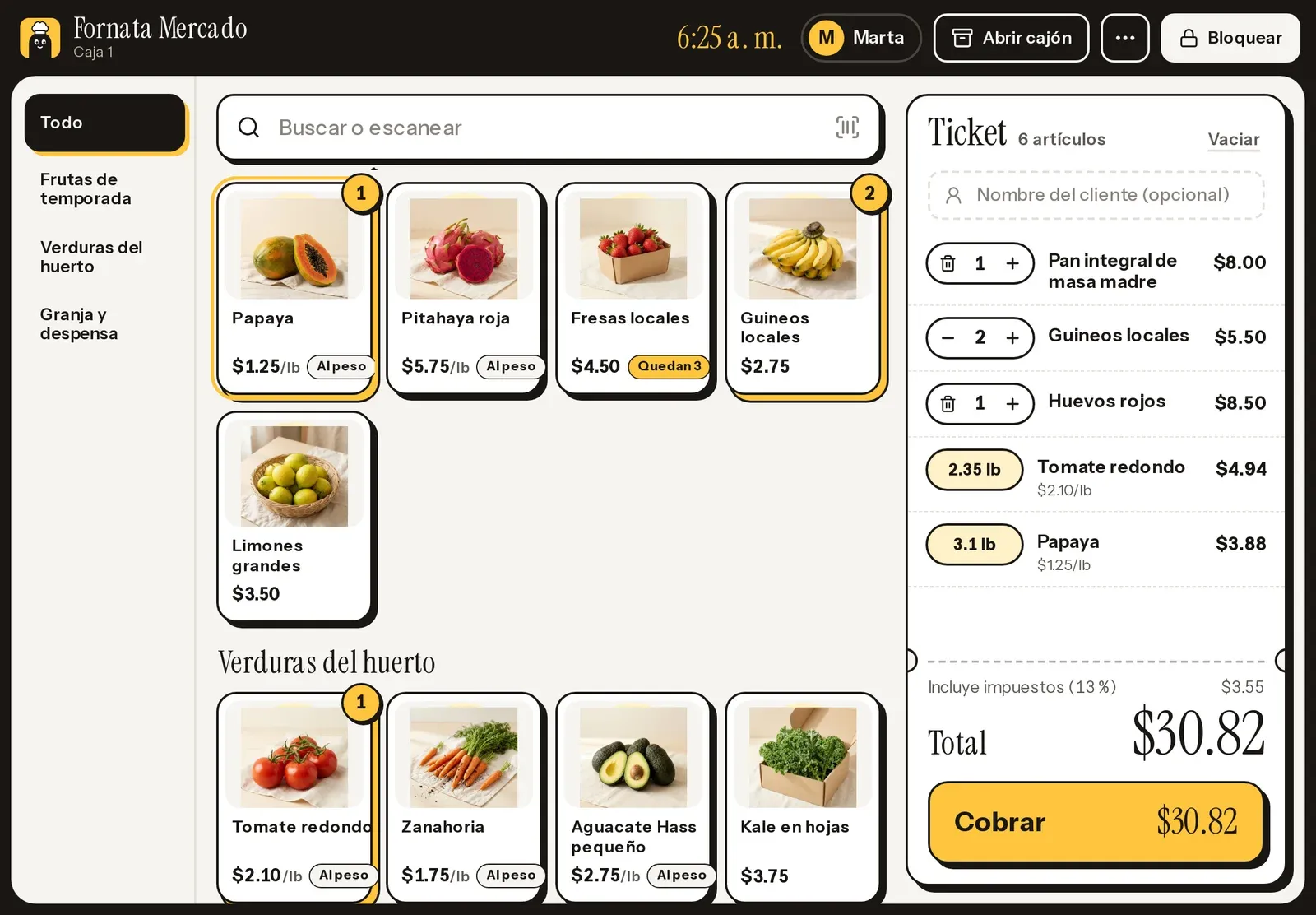
Sell at the counter, same cash count
For the bar, pickup or your store: take payment on the spot from a tablet, a computer or a phone.
- Products with photos, search and a barcode scanner
- Weight on a big keypad, for what you sell by the pound or the kilo
- Cash with change, card terminal, bank transfer or a split payment
- Receipt and cash drawer through your printers; every sale goes into the cash count, reports and stock
It does not issue fiscal receipts yet: keep your register for that.
More than orders
So guests come, come back and your numbers add up
Reservations, loyalty, coupons, purchasing and clear numbers. In the same admin, for the same price.
Reservations
Guests book from your website and get a reminder the day before. Where you take payments with Stripe, also an optional deposit, taken off the check.
Loyalty card
Stamps or points on your website, at the counter and at the table. With a reward and a birthday gift.
Coupons
A percentage or an amount, with dates, a minimum and a use limit. For the first order or for whoever you choose.
Phone orders
You take the order while you talk and the customer gets a payment link on WhatsApp. The order reaches the kitchen once they pay.
Purchasing and margins
Supplier orders by WhatsApp or email, deliveries received with their cost, expiration dates and waste. You see the margin on every product.
Stats
Where each customer comes from, with your own links and QR codes, which dishes people look at but don't order, and what you save on commissions. A summary every Monday.
Live demo
Try it as a guest
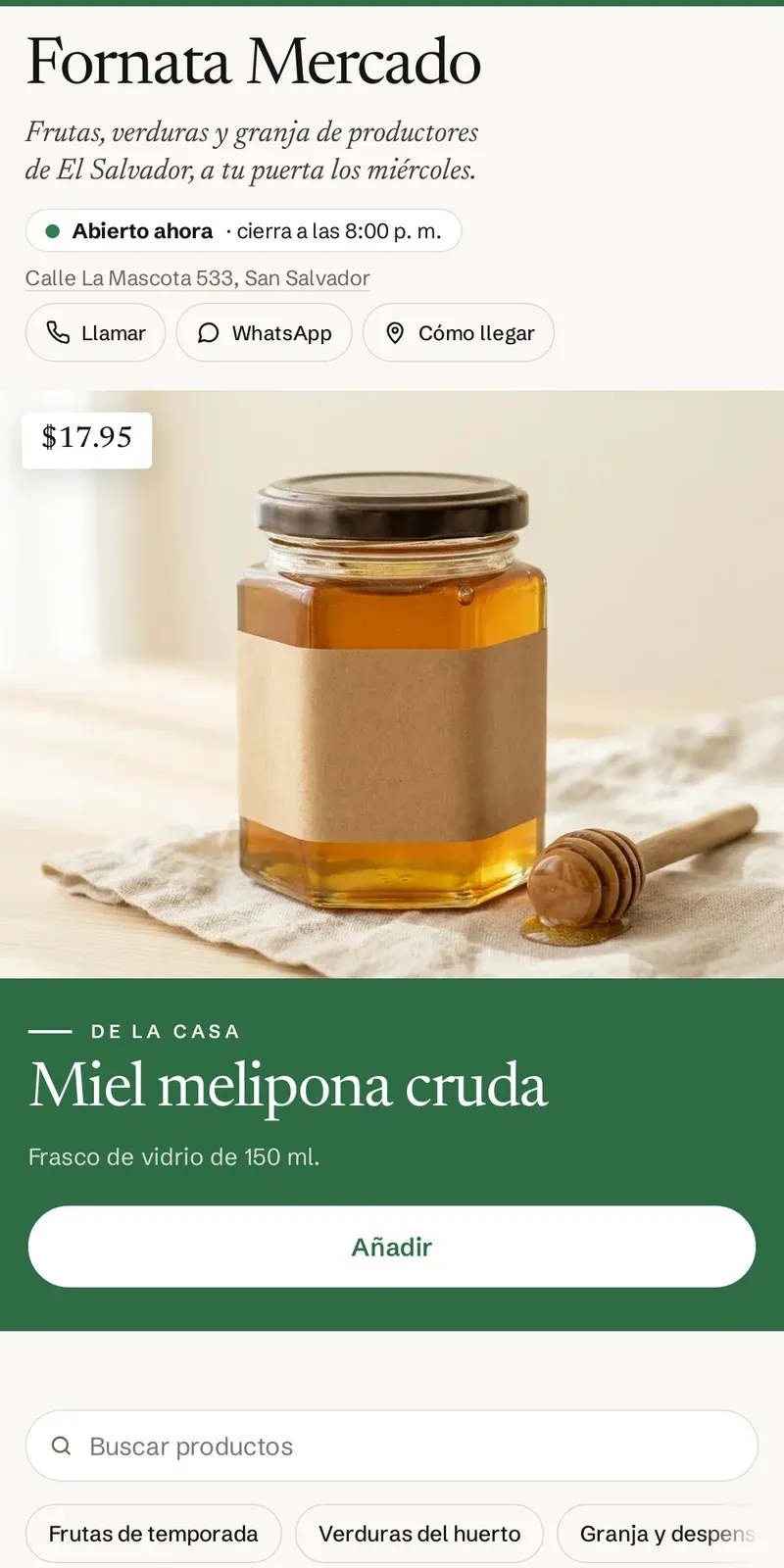
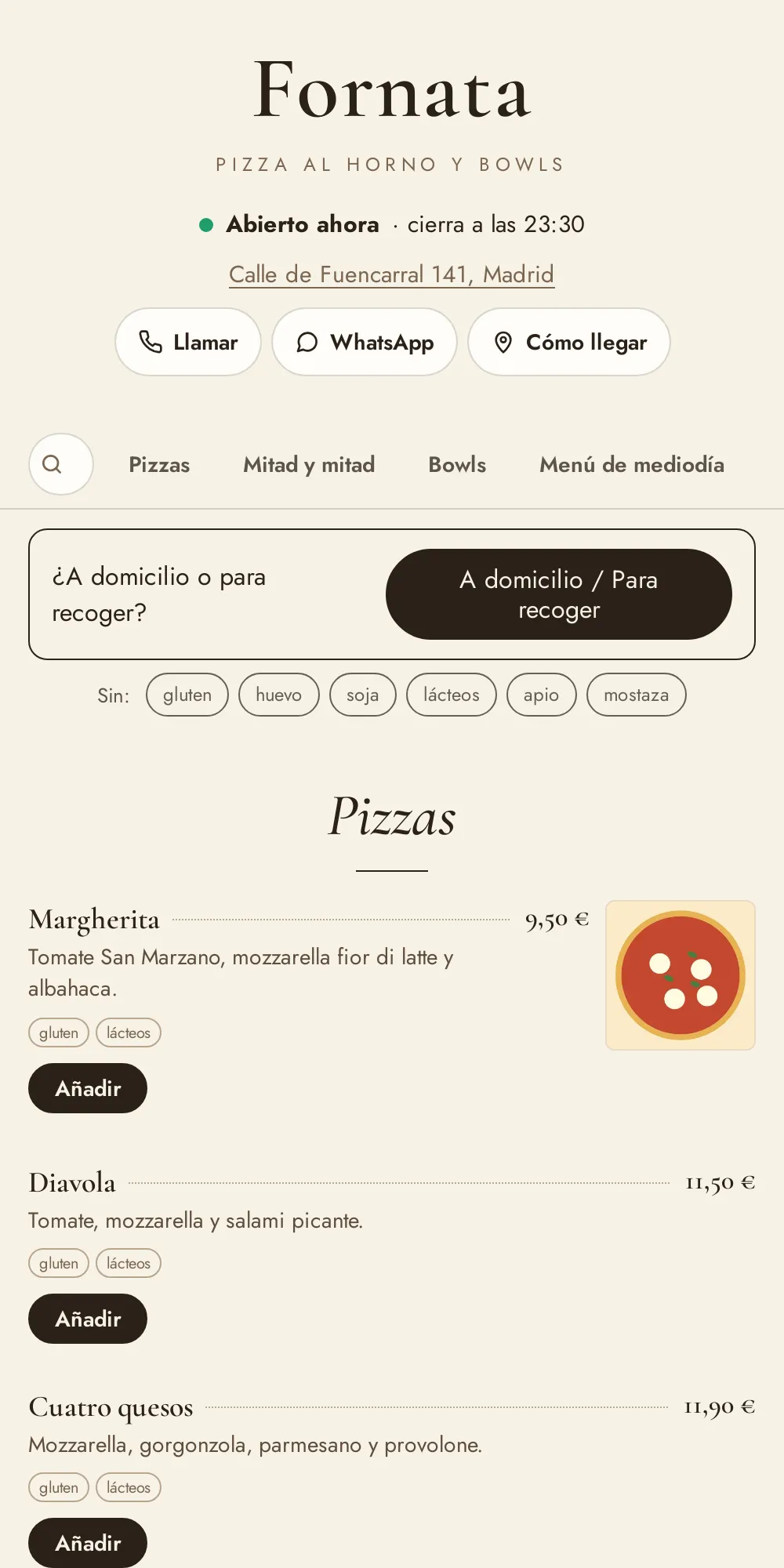
Fornata is our demo restaurant: the same website and the same ordering your restaurant gets. Open it on your phone and order like a guest would.
- Browse the menu, with photos and allergens
- Pick dishes and their options
- Reach the basket: details, time and payment on one screen
Fornata is a fictional restaurant, just for trying things out.
Scan it with your phone's camera
Or open it in this browserTemplates
Eight templates, one for every business
All with your logo, your menu and one-screen ordering. Switch templates whenever you like, without redoing anything.
LienzoNew
Photos first, for restaurants and stores
Your color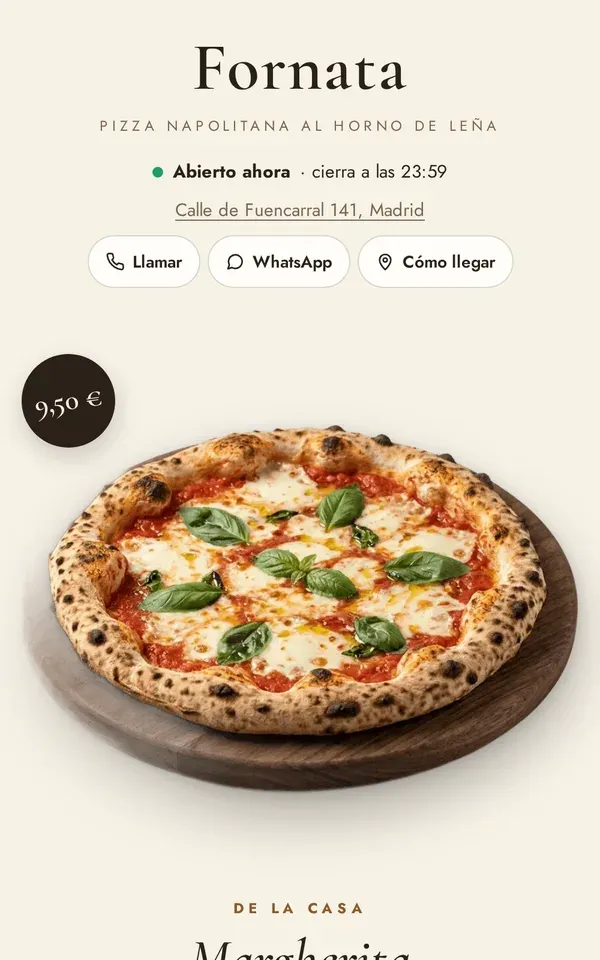
Papel
Classic: Italian, family restaurants, bistros
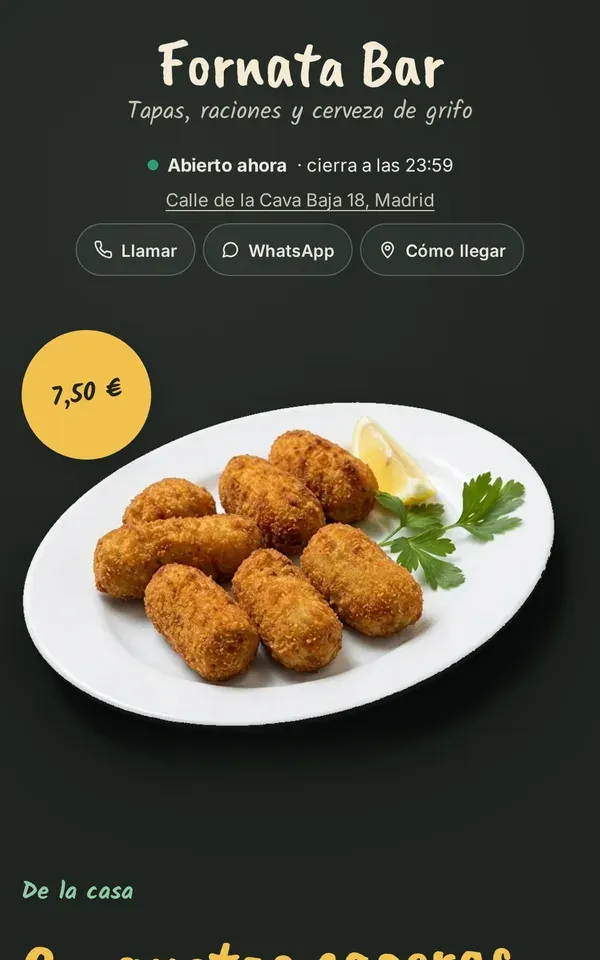
Pizarra
Bars, tapas and brewpubs
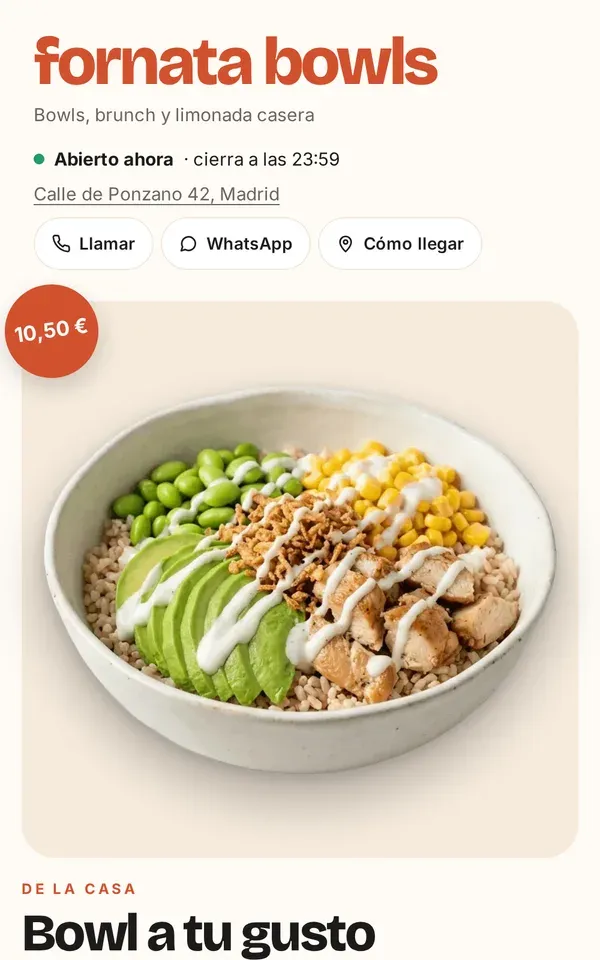
Bistró
Modern food, bowls and brunch
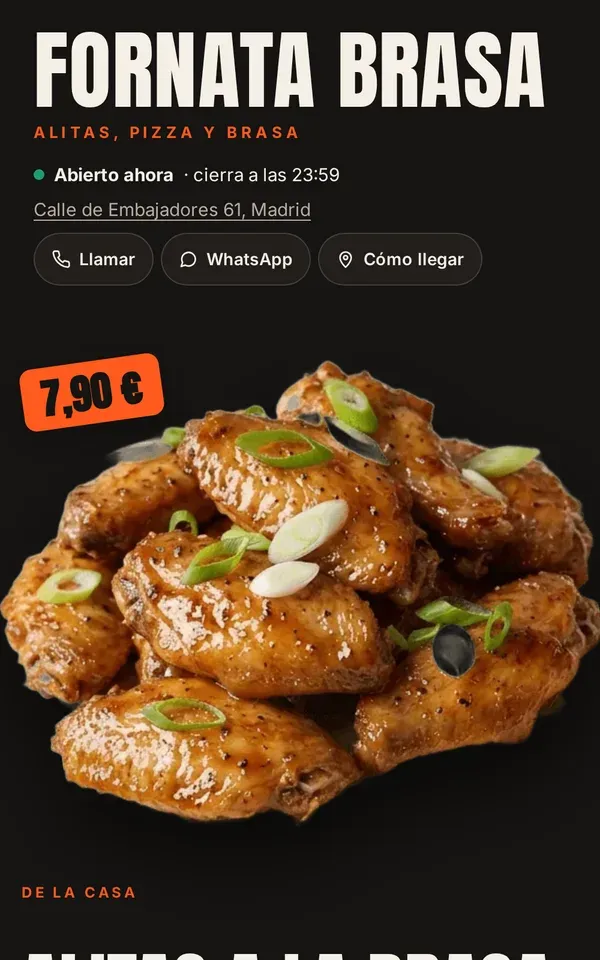
Brasa
Burgers, grills and food trucks
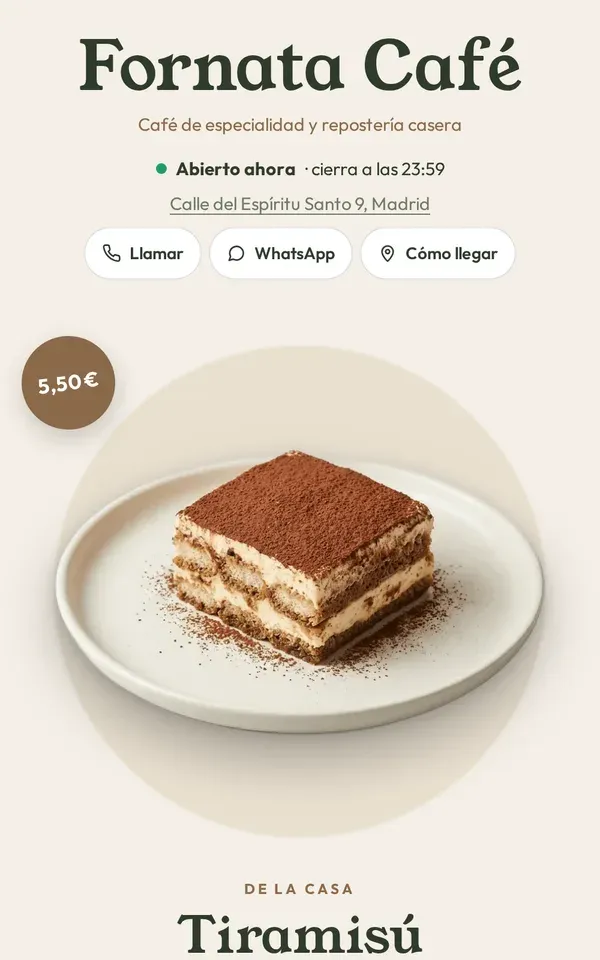
Café
Coffee shops, bakeries and ice cream
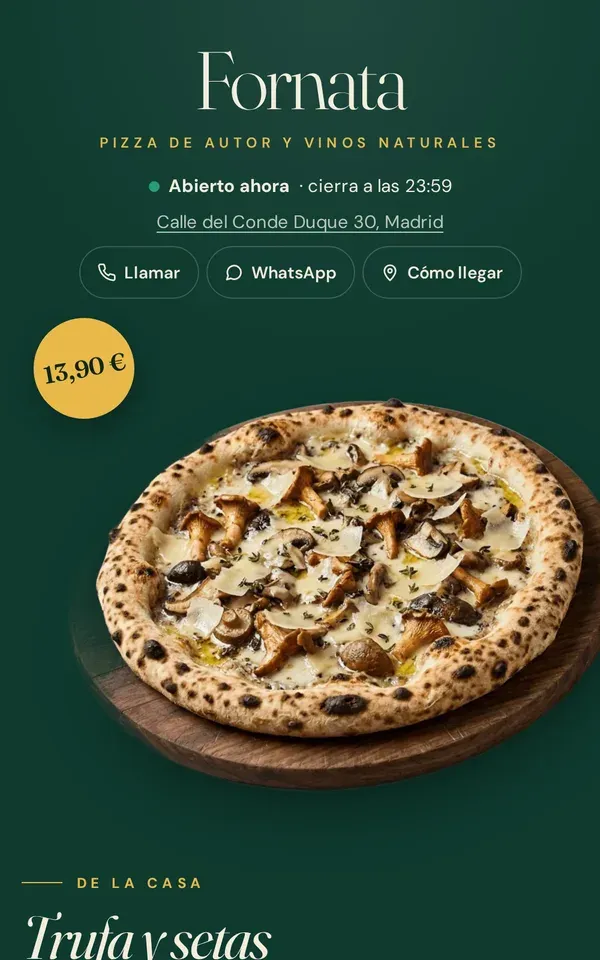
Vitrina
Big photos and your signature dish up front
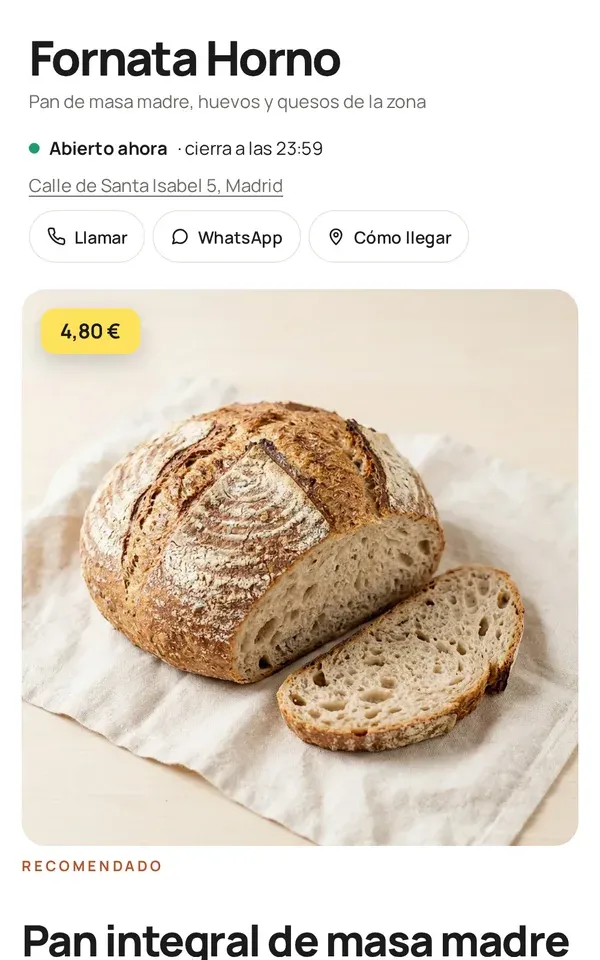
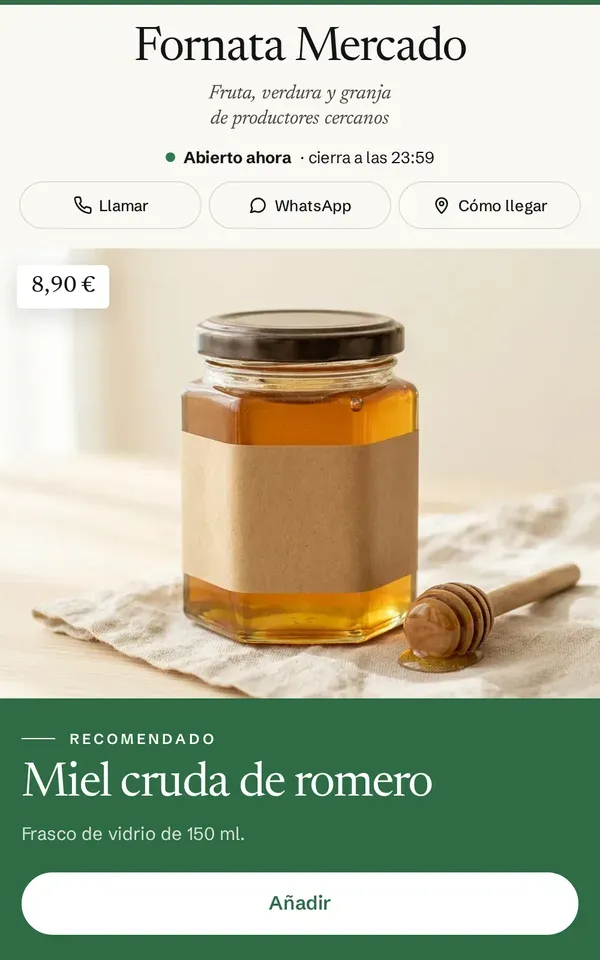
Mercado
Stores, bakeries and delis
Your color
Getting started
Your first order in about 15 minutes
A guided setup walks you through it step by step, from your phone, no help needed.
Your menu, from a photoAI
Snap a photo, upload the PDF or paste the link from GloriaFood, DoorDash, Uber Eats, Wolt, Glovo, OlaClick or your website. We read it and you check it.
Where and how you hand orders over
Your address, with the usual opening hours of your area already filled in. Pickup at your location and delivery, in one tap.
How you get paid
Cash and bank transfer or QR from day one. Cards whenever you like.
Share it and get orders
A message ready for WhatsApp, your link for your Instagram and TikTok bio, and a QR for the counter.
Website and menu free forever. Orders, 30 days free with no card.
Payments
How your guests pay you
With what people already use where your location is. The money lands in your account: Eats All Over never touches it or keeps any of it.
Your country: {country}
By card, online
Stripe
- Card
- Apple Pay
- Google Pay
Open your account from the admin in a few minutes, with no fixed fee. Stripe charges its fee per payment and pays the money out to your bank.
Redsys Your bank's online payment gateway
Connect the online payment gateway (Redsys) your bank gives you and take payments at its rate, into your usual account.
Wompi
3.5% per payment, VAT included, no monthly fee. They ask for a Banco Agrícola account, activate your account within 24 hours and pay out every day.
n1co
A rate agreed with n1co, no monthly fee. They ask for a bank account in your business's name and settle every day.
We don't connect online card payments in your country yet. You still sell: guests pay by transfer or QR, or on pickup.
- Stripe
- Redsys
- Wompi
- n1co
With Stripe in 44 countries, with each one's own methods (Bizum, BLIK, iDEAL...). In Spain, also with your bank's online payment gateway (Redsys). In El Salvador, with Wompi or n1co.
No card needed, from day one
Bank transfer or QR
Guests pay straight into your account with your details or the QR of your bank or payment app.
On pickup or delivery
In cash or with your card terminal.
At the counter
With your card terminal or in cash, and every sale goes into the day's cash count.
No payment provider yet? Start with cash and bank transfer or QR, and add cards whenever you like.
* Stripe is a payment platform that lets businesses all over the world take payments online by card and other methods. It charges a fee per payment and pays the money out to your bank.
Pricing
Unlimited orders for $29. No surprises at renewal.
No commission per order, no setup fee and no contract.
Start free. Add what you need.
- Free1
Menu and QR
Your website with your logo, a QR per table and a paper menu
- All included in Eats All Over: $29 per location2
Online orders
Pickup, delivery and reservations from your website
- 3
Table and floor
Guests order and pay from their phone
- 4
Kitchen and waiter app
Screens, printers and the waiter's phone
- 5
Guests and numbers
Loyalty, coupons, cash count, purchasing and reports
Menu
Freeforever
Your menu on your website and on the tables, without orders.
- Your own website, with your logo, menu, photos and allergens
- Bring your menu from photos, PDF, GloriaFood, DoorDash, Uber Eats, Wolt, Glovo, OlaClick or any website
- Your menu translated automatically into 10 languages
- A QR per table and a poster with your menu's QR
- Your paper menu, ready to print
- Unlimited locations and dishes
Eats All Over
$29per location a month
or $290 a year (2 months free)
Everything to sell online and on the floor.
Everything in Menu, plus:
- Delivery and pickup orders, commission-free, paid by card, Apple Pay, or Google Pay
- Reservations, loyalty card and coupons
- Order, call the waiter and pay from the table
- Waiter app on the phone, even offline
- Kitchen screens and ticket printers, with an alert if a ticket gets stuck
- Daily cash count, purchasing, margins and stats
- For stores: selling by weight, stock and a counter
- No setup fee, no contract
Never more than $499 a month, however many locations you have.
30 days free, no cardYour price does not go up while you stay subscribed. It is a commitment, written in our terms: Plans and billing
No fine print
- No commission per order
- Money goes straight to your account
- No hardware: your phone, tablet or computer
- No contract: cancel from the admin
- Up and running in minutes, from your phone
- Works with your current menu and website
Why it costs so little
This isn't a promo. It's what it really costs.
The usual way is to charge a cut of every order, a setup fee, every screen and every add-on. We take out what makes the service expensive and charge what is left.
No salespeople, no installers
You sign up yourself, from your phone. Your fee doesn't pay for visits, demos or installations.
No hardware to sell you
It runs on your phone, your tablet and the printers you already have. We don't make our living renting out screens.
We don't touch your money
You get paid in your own account. We keep no percentage and no markup on your payments.
AI does the expensive work
Setting up the menu, translating it and answering questions is done by AI in minutes. We don't charge you extra for that work.
One price, everything in
No add-ons, no extra screens: $29 per location and never more than $499.
And it doesn't go up
Your price does not change while you stay subscribed. It is written in our terms.
Built to help you sell, not to take a cut of every order.
We want a neighborhood business to have what a chain has, without paying like a chain.
Already on another system?
Switching isn't starting over
Try it alongside what you use today. If it isn't worth it after 30 days, you go back to the Menu plan and pay nothing.
Your menu comes over on its ownAI
Paste the link from wherever it is, or snap a photo. You review it and you're done.
Your website stays
With a snippet of code, your current website shows the menu and the order button. Or put your domain on the one we give you.
With what you already have
Your phone, your tablet and your Star or Epson printers. Eats All Over does not issue fiscal receipts, so your POS keeps doing that, as it does today.
30 days to compare
With everything turned on and your numbers in front of you. No contract: you cancel from the admin.
Bring your menuAI
Bring your menu from wherever it is
You do not start from scratch: paste a link or take a photo and we turn it into your Eats All Over menu. You only review it.
Photos or PDF
Take photos of your paper menu or upload the PDF or Excel file. We read it and you review it before creating it.
GloriaFood
With sizes, options, allergens and photos. GloriaFood closes on April 30, 2027.
Wolt
Paste the link of your venue and we bring categories, dishes, options and photos.
Glovo
Paste the link of your store and we bring categories, dishes, options and photos.
OlaClick
Paste the link of your menu and we bring categories, dishes and photos.
DoorDash
Paste the link of your restaurant's menu and we bring categories, dishes, prices and photos.
Uber Eats
Paste the link of your store and we bring categories, dishes and prices.
Or any website with your menu
Paste the link of your menu page, or of its PDF, and we read it.
Import again from a platform and what you brought is updated, without duplicating dishes.
Do the math
What you stop paying
Enter your numbers: what the delivery app takes and what you may be paying today for a similar service.
POS, kitchen screen, QR... Enter 0 if you have none.
Today, per month
- To the delivery app
- To your current system
Total
With Eats All Over, per month
- To the app, for what stays there
- To Eats All Over, all included
Total
You stop payinga month ·
Note: card fees are separate. Your payment provider sets them, not the system you use.
How to move your orders from the delivery app to your own site
Compare
Eats vs. the usual way
What selling online and running the floor usually costs, and what changes with Eats All Over.
| Delivery apps | Ordering platforms | Eats All Over | |
|---|---|---|---|
| Commission per order | Up to 30% | $0 to $3 or 5% per order, or a fee your guests pay | 0% |
| Monthly fee | No fixed fee | $39 to $499 per location | $29 per location |
| Kitchen, server app and QR | Not included | Paid add-ons: $20 to $30 a month per kitchen screen | Included |
| Getting started | Platform sign-up and review | Sales demo, onboarding and setup | First order in about 15 minutes, from your phone |
| If something breaks mid-dinner | Platform support | Call support, not always open at dinnertime | Instant alert, and the server app keeps going without wifi |
| Setup and installation | Platform sign-up | Setup fees from $119 to $1,000, plus hardware | No setup fee, on your phone or tablet |
| As you grow | More orders, more commission | You pay for every screen, add-on and location | Same price per location, never more than $499 |
| Contract | Depends on the platform | Some ask for 12 months | None: cancel from the app |
| Your guests | Belong to the platform | Yours | Yours, with their history |
| Your money | Paid out days later | Depends on their payment gateway | Instantly, into your account with your payment provider |
Public US prices of ChowNow, Owner.com, Menufy, Slice, Square and Toast, checked on October 30, 2026, before card fees and sales tax. They vary by plan; the pricing page lists them one by one.
Questions
Do you take a commission per order?
No. You pay a flat fee per location and sell as much as you like. You only pay your payment provider's card fees, as with any system.
Is it hard to set up?
No. A guided setup walks you through it step by step from your phone: your menu from a photo, a PDF or a link; your address, with the usual opening hours of your area already filled in; pickup and delivery in one tap; and how you get paid, with cash and bank transfer from day one. At the end you get a message for WhatsApp, your bio link and a QR. Your first order in about 15 minutes, no training needed.
Where does the money from orders go?
Into your own account, never ours. Card payments are collected by your payment provider and paid out to your bank: Stripe, which you connect from the admin in a few minutes, your bank's online payment gateway in Spain, or Wompi and n1co in El Salvador. With bank transfer or QR, guests pay you directly. You can also take payment on pickup or delivery. All Over Apps never touches your money.
Do I need a printer or any other hardware?
No. It runs in the browser of any phone, tablet or computer, and orders land in the admin and on the kitchen screen. For paper tickets, it works with internet-connected Star (CloudPRNT) and Epson (Server Direct Print) printers, and alerts you at once if a ticket does not print.
Is there a contract?
No contract and no setup fee. Cancel whenever you want from the admin and keep it until the end of the paid period. And the Menu plan is free forever.
Does it replace my POS?
For online orders, tables, kitchen, floor and selling at the counter you can run on Eats All Over alone. Eats All Over does not issue the fiscal receipt yet: your POS keeps doing that, as it does today.
I already have a website. Do I have to change it?
No. Copy a snippet of code from the admin and your current website shows your menu and the order button. You can also link to the website we give you, or put your own domain on it.
Can I take payments through my bank?
In Spain, yes: you connect your bank's online payment gateway (Redsys) and card payments from your website land in your usual account. In El Salvador, with Wompi or n1co, which pay out to your bank. Where Stripe operates, card payments go through Stripe, into your own account. And in any country guests can pay you by bank transfer or QR, or with your card terminal on pickup, on delivery or at the table.
Do I have to type my menu in by hand?
No. Upload photos or a PDF of your menu, or paste its text (from your current website, for example), and we read it for you: categories, dishes and prices. Everyday products like soft drinks or beers come with their photo. You check it before it goes live. And if it is already on GloriaFood, DoorDash, Uber Eats, Wolt, Glovo, OlaClick or your website, paste the link and we bring it.
Does every member of staff need a phone or tablet?
No. One tablet or one printer in the kitchen is enough. Each waiter can use their own phone as the waiter app or share one: they sign in with their personal PIN.
I have several dining rooms or a terrace. Does that count as another location?
No. A location is one address. Inside it, you arrange tables by area on the floor plan: dining room, terrace, bar.
Can guests pay with Apple Pay, Google Pay or Cash App Pay?
Where you take payments with Stripe, yes: cards, Apple Pay and Google Pay, and when you connect your account we ask for your country's methods (Cash App Pay in the US, Bizum in Spain, BLIK in Poland, MB WAY in Portugal). Payments, in the admin, shows which ones are active. In Spain you can also use your own Bizum, without Stripe, as a bank transfer.
Do Uber Eats, DoorDash or Grubhub orders come into Eats All Over?
Not yet. Today orders from Uber Eats, DoorDash, Grubhub and other delivery apps do not come into Eats All Over: they still arrive on each app's tablet. What does come into Eats All Over are the orders from your website, your tables and the waiter app.
How does US sales tax work?
Each location has its own sales tax rate: you enter your location's ZIP code, we suggest the combined state, county and city rate, and you review it and save it. If your state or city taxes alcohol apart, you add a second rate for drinks with alcohol. Eats All Over adds it at checkout, on delivery fees too, and shows it on receipts, orders and reports for your filing. You file and pay it to your state, as today.
How do tips work?
Guests can tip when they pay by card, online for pickup and delivery and at the table: 15%, 18% or 20% or another amount, never preselected, worked out on the subtotal before tax. You choose the percentages per location, or turn tips off. Tips go to you with the payment, with their own line in reports.
I use GloriaFood. Can I bring my menu?
Yes. GloriaFood closes on April 30, 2027. In Menu > Import, choose From another platform, then GloriaFood and paste the link of your ordering button: we bring categories, dishes, sizes, options with their prices and the dish photos.
Does it work for a food store?
Yes. Produce stands, butchers, bakeries and corner stores sell by weight or by the piece, with stock that sells out on its own, orders for the day you deliver and a counter with a barcode scanner. When you sign up you choose Food shop and start with what a store uses.
What exactly does the AI do?
It reads your menu from photos, a PDF or a link; translates your website and menu into 10 languages and keeps them up to date; writes the line that introduces your food; publishes your menu the way search engines and AI assistants read it; and answers your questions in the admin by looking at how your location is set up. You review and decide: what you change by hand is not touched again. All of that is included, at no extra cost. AI product photos are separate: it reshoots your phone photos in studio light and you pay per photo from a balance you top up, on any plan.
Why is it so cheap?
Because we take out what makes these services expensive: there are no salespeople or installers, we don't sell hardware, your money never passes through our hands and AI does the setup work that others bill for. We charge a flat fee per location, with a cap per business, and your price does not go up while you stay subscribed.
I already use another system. What does it cost to switch?
No setup fee. You bring your menu with a link or a photo, try it for 30 days with everything turned on alongside what you already have, and decide. It works with your phone, your tablet and your Star or Epson printers, and your current website can stay. If it doesn't win you over, you go back to the Menu plan without paying.
Does it have reservations and a loyalty card?
Yes, both included in Eats All Over. Guests book from your website, with a reminder the day before and, where you take payments with Stripe, an optional deposit. The loyalty card works with stamps or points on your website, at the counter and at the table, with a reward and a birthday gift. There are also discount coupons for orders on your website.
Are there any other costs on the plan's invoice?
Only the fee Stripe charges for collecting your subscription, on its own line and to the cent. It all goes to Stripe: Eats All Over earns nothing from it.
Another question? Write to us at [email protected] and we will get back to you.
Open your restaurant online today
Start free with your menu and try all of Eats All Over for 30 days.
- No commission per order
- Money goes straight to your account
- No hardware: your phone, tablet or computer